

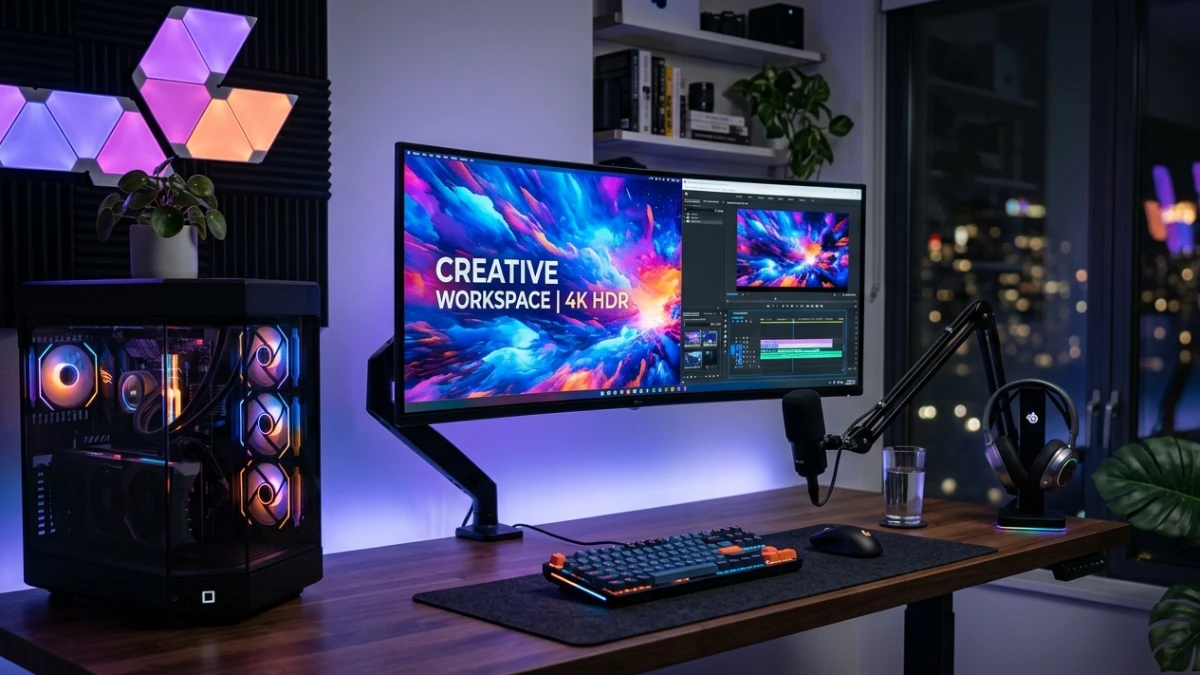
TL;DR: Match panel tech to your use—QD-OLED for gaming/entertainment, IPS Black for creative work, RGB Mini LED for burn-in-free productivity. Prioritize pixel density over raw resolution; 27″ 1440p often beats poorly scaled 4K. Ensure DisplayPort 2.1 for high-refresh 4K, and don’t trust HDR400 certifications. The best monitor disappears into your workflow—choose based on actual daily needs, not marketing specs.
The $1,200 Mistake I Almost Made (And How to Avoid It)
Three months ago, I nearly purchased a “flagship” 32-inch 4K gaming monitor without checking one critical specification. The marketing looked perfect: HDR support, 144Hz refresh rate, and a price drop that seemed too good to ignore. Then I checked the fine print—8ms response time, VA panel, HDR400 certification. For competitive gaming and content creation, that combination would have been a $1,200 regret that haunted me for years.
That near-disaster revealed a truth about the 2025-2026 monitor market: specification sheets lie, marketing hype misleads, and the “best” monitor depends entirely on how you actually use your screen. With new technologies like QD-OLED, RGB Mini LED, and 480Hz refresh rates hitting the mainstream, making the wrong choice is easier—and more expensive—than ever.
This comprehensive guide cuts through the noise. I’ll walk you through every specification that genuinely matters, expose what manufacturers don’t tell you, and provide updated recommendations based on the latest 2026 releases. Whether you’re a competitive esports player, a professional colorist, or someone who just wants crisp spreadsheets, you’ll know exactly what to buy by the end.
2026 Monitor Technology Landscape: What’s New and What Matters
The display industry has transformed dramatically since 2024. Here’s what you need to know about the technologies dominating shelves right now:
QD-OLED: The New Gold Standard
Quantum Dot OLED (QD-OLED) has overtaken traditional OLED as the premium choice for both gamers and creators. Unlike conventional OLED that uses color filters, QD-OLED employs quantum dots to produce color directly, resulting in higher brightness (up to 1,300 nits peak HDR), better color volume, and reduced burn-in risk.
The 2026 breakthrough: Dual-mode QD-OLED monitors now dominate the high-end market. The ASUS ROG Swift PG32UCDP and LG UltraGear 32GS95UE can switch between 4K at 240Hz for immersive gaming and 1080p at 480Hz for competitive esports—all on the same panel
. This flexibility eliminates the traditional compromise between resolution and refresh rate.
RGB Mini LED: OLED’s First Real Challenger
For years, Mini LED was considered “OLED-lite”—better contrast than IPS, but with blooming artifacts and slower response times. That changed in early 2026.
HKC’s M10 Ultra became the world’s first RGB Mini LED monitor, featuring 4,788 individually controlled backlight zones that manage both light and color simultaneously
. Unlike traditional Mini LED that only dims white backlights, RGB Mini LED controls red, green, and blue light independently—approaching OLED-level color precision without burn-in risk.
TCL has pushed even further, announcing a 27-inch Mini LED monitor with 1,040Hz refresh rate capability (at 720p) and 2,304 dimming zones producing 2,200 nits peak brightness. For professionals worried about OLED burn-in during 10-hour editing sessions, 2026’s Mini LED options finally offer a legitimate alternative.
DisplayPort 2.1: The Bandwidth Revolution
The hidden bottleneck in 4K gaming has been cable bandwidth. DisplayPort 1.4 required compression (DSC) to reach 4K 240Hz, introducing micro-stutters some users could perceive. DisplayPort 2.1, now standard on NVIDIA RTX 50-series and AMD RDNA 4 GPUs, delivers uncompressed 4K 240Hz with bandwidth to spare.
Monitors like the ASUS ROG Swift PG32UCDM3 now include DP 2.1a support, future-proofing your investment for the next GPU upgrade. If you’re buying a high-refresh 4K monitor in 2026, DP 2.1 compatibility isn’t optional it’s essential.
Panel Technology Deep Dive: Making the Right Choice
Understanding panel types prevents the most common buyer mistake: choosing impressive-sounding specs over appropriate technology.
IPS (In-Plane Switching): The Creative Professional’s Workhorse
IPS technology aligns liquid crystals horizontally, maintaining color accuracy across 178-degree viewing angles. For photographers, video editors, and designers, IPS remains the safest choice because color consistency matters more than perfect blacks.
LG’s IPS Black panels now achieve 2,000:1 native contrast—double traditional IPS—while maintaining wide viewing angles. TCL’s HFS (High Fringe Field Switch) technology pushes this further to over 2,000:1 with faster response times.
Best for: Photo/video editing, graphic design, multi-person screen sharing, productivity
Avoid if: You primarily watch movies in dark rooms or need sub-1ms response times for competitive gaming
VA (Vertical Alignment): The Cinematic Choice
VA panels orient crystals vertically, producing contrast ratios between 2,500:1 and 6,000:1. Dark scenes in films and games look genuinely black rather than charcoal grey—a difference that transforms horror games and noir films.
The trade-off: Response times typically range 4-10ms, creating “smearing” behind fast-moving objects. However, 2026’s “Fast HVA” panels from Samsung and TCL have narrowed this gap to competitive levels for casual gaming.
Best for: Movie enthusiasts, dark-room gaming, atmospheric single-player games
Avoid if: Competitive FPS gaming or color-critical work (VA panels often show gamma shift at angles)
OLED & QD-OLED: The Enthusiast’s Dream
With infinite contrast ratios (true black by turning pixels completely off), 0.03ms response times, and color volume that makes HDR content explode with life, OLED represents the pinnacle of current display technology.
Burn-in in 2026: Manageable, Not Mythological
Modern OLED monitors include aggressive pixel-shift algorithms, screen savers, and panel refresh cycles. Most manufacturers now offer 2-3 year burn-in warranties, making the risk calculable rather than catastrophic. For pure gaming and media consumption, burn-in risk is minimal. For 8-hour daily productivity with static taskbars, consider QD-OLED (more resistant) or Mini LED alternatives.
Best for: Enthusiast gaming, HDR media consumption, content creation with moving imagery
Avoid if: You run static spreadsheets 10 hours daily without using dark mode or auto-hiding taskbars
Resolution & Pixel Density: Why 4K Isn’t Always Better
Resolution numbers are meaningless without considering pixel density (PPI—pixels per inch). A 4K monitor at 32 inches (138 PPI) looks sharper than the same resolution at 43 inches (102 PPI), where individual pixels become visible at normal viewing distances.
The Sweet Spots for 2026:
| Use Case | Size | Resolution | PPI | Why It Works |
|---|---|---|---|---|
| Competitive Gaming | 24-27″ | 1440p | 108-122 | High frame rates without GPU strain |
| Immersive Gaming | 27-32″ | 4K | 138-163 | Visual fidelity with modern GPU power |
| Professional Creative | 27-32″ | 4K | 138-163 | Sharp UI elements, detailed image editing |
| Productivity/Office | 27″ | 1440p | 109 | Perfect scaling without Windows blur issues |
| Ultrawide Productivity | 34-38″ | 3440×1440 | 110 | Seamless multitasking without bezel gaps |
Critical Warning: Running a 4K monitor at 1440p scaled resolution (because your GPU can’t maintain frame rates) completely defeats the purpose. You get the performance hit of scaling plus none of 4K’s sharpness. Buy the resolution your hardware can actually drive .

Refresh Rate & Response Time: Gaming Reality Check
Refresh Rate: Diminishing Returns Start at 240Hz
Moving from 60Hz to 144Hz transforms everything—gaming, scrolling documents, even dragging windows. The jump from 144Hz to 240Hz is noticeable in competitive titles. Beyond 240Hz? Unless you’re a professional esports player, 360Hz+ offers minimal practical benefit over 240Hz.
The 2026 exception: Dual-mode monitors that drop to 1080p for 480Hz+ operation. At 480Hz, input lag drops to record-setting lows (11ms total lag measured on the PG32UCDP), providing genuine competitive advantage in titles like Counter-Strike 2 and Valorant.
Response Time: The Spec Sheet Lie
Manufacturers advertise “1ms GtG” (grey-to-grey) response times that don’t reflect reality. In Tom’s Hardware testing, even premium IPS panels showed 6ms real-world response times, while the best OLED panels hit 0.03ms.
Practical guideline: For competitive gaming, prioritize OLED (sub-0.1ms) or Fast IPS (under 4ms). VA panels above 5ms will show visible smearing in fast-paced titles.
HDR Certification: Navigating the Marketing Minefield
HDR labeling is the most misleading specification category in monitors. Here’s what the certifications actually mean in 2026:
| Certification | Peak Brightness | Local Dimming | Real-World Performance |
|---|---|---|---|
| HDR400 | 400 nits | None | Indistinguishable from good SDR |
| HDR600 | 600 nits | Basic edge dimming | Visible HDR improvement in bright highlights |
| HDR1000 | 1000 nits | 384+ zones | Genuine HDR impact, specular highlights pop |
| HDR1400 | 1400 nits | 1000+ zones | Reference-grade, transformative experience |
| True Black 400 | 400 nits | Per-pixel (OLED) | Perfect blacks, infinite contrast, OLED only |
My recommendation: Treat anything below DisplayHDR 600 as a marketing checkbox. Meaningful HDR begins at 1000 nits with substantial local dimming—or OLED’s per-pixel control .
2026 Monitor Recommendations by Category
Budget Excellence (Under $400)
The Pick: Acer Predator XB273K V5
- 27″ 4K IPS, 160Hz (or 1080p at 320Hz dual-mode)
- Under $400 street price
- 99% sRGB coverage, solid build quality
Why it wins: Dual-mode functionality previously reserved for $1,000+ monitors now hits budget prices. For gamers with mixed needs (competitive FPS and immersive RPGs), this flexibility is unmatched.
Key specs to demand at this price:
- IPS panel (not TN)
- 144Hz+ refresh rate
- Height adjustment (your neck will thank you)
- VESA mount compatibility
Mid-Range Sweet Spot ($400-$800)
For Gamers: LG UltraGear 32GS95UE
- 32″ 4K QD-OLED, 240Hz (480Hz at 1080p)
- 0.03ms response time
- Under-screen speakers that don’t suck
For Creators: ASUS ProArt PA279CRV
- 27″ 4K IPS, factory calibrated to Delta-E <2
- 99% DCI-P3 coverage
- USB-C 96W power delivery
Premium Performance ($800-$1,500)
Best Overall Gaming: ASUS ROG Swift PG32UCDM3
- 32″ 4K QD-OLED, 240Hz
- DisplayPort 2.1a support
- “BlackShield” anti-reflective coating
- 107% DCI-P3 coverage, 1,300 nit peak HDR
Best for Console/PC Hybrid: Alienware AW3225QF
- 32″ 4K QD-OLED, 240Hz
- Dolby Vision support for Xbox Series X
- G-Sync Ultimate + FreeSync Premium Pro
Professional Reference ($1,500+)
For Color-Critical Work: ASUS ProArt PA32UCXR
- Mini LED with 2,304 dimming zones
- 1600 nits peak brightness
- Hardware calibration support (calibrates the monitor’s LUT, not just GPU output)
- Adobe RGB + DCI-P3 coverage for print workflows
For the Ultimate Visual Experience: Samsung Odyssey OLED G9
- 49″ 32:9 dual-QHD (5120×1440)
- QD-OLED with 0.03ms response
- 240Hz refresh rate
- Essentially two 27″ 1440p monitors seamlessly merged
Common Setup Mistakes That Ruin Expensive Monitors
- Wrong scaling: Running 4K at non-integer scales (125%, 150%) creates blurry text in many Windows applications. Use 100%, 200%, or stick to 1440p [original article].
- Ignoring uniformity: Budget panels often show 15%+ brightness variation across the screen. For photo editing, this is unacceptable—demand uniformity compensation in professional monitors.
- Bad ergonomics: The top of your screen should align with or slightly below eye level. A monitor too high causes neck strain within weeks.
- Oversized screens: A 43″ 4K monitor has lower pixel density (102 PPI) than a 27″ 1440p (109 PPI). Bigger isn’t sharper—density is.
- HDR on Windows: Windows 11’s HDR implementation remains problematic. Unless you have HDR1000+ or OLED, leaving HDR off often looks better for desktop use.
Frequently Asked Questions
Is OLED burn-in still a concern for daily work?
In 2026, with pixel-shift algorithms and manufacturer warranties, burn-in is manageable but not mythical. If you run static UI elements 8+ hours daily, enable auto-hiding taskbars, use dark mode, and consider QD-OLED (more resilient) or Mini LED alternatives.
Should I wait for 8K monitors?
No. 8K gaming remains GPU-limited even with RTX 5090 cards. 4K at high refresh rates offers better visual returns than 8K at 60Hz for the foreseeable future.
Is curved worth it?
For ultrawides 34″+, 1500R-1800R curvature keeps edges in natural focal range. For 27″ and smaller, flat panels avoid geometric distortion without practical downside.
Does DisplayPort 2.1 matter if I have HDMI 2.1?
For 4K 240Hz, yes. HDMI 2.1 maxes at 4K 120Hz (or compressed 240Hz). DP 2.1 handles uncompressed 4K 240Hz with headroom for future standards.
Final Verdict: The Monitor That Disappears
After testing dozens of 2026 panels, the consistent truth remains: the best monitor is the one you stop noticing. When technical limitations fade and you’re immersed in work, game, or film—that’s the right choice.
Three non-negotiables for 2026:
- Match panel to primary use: QD-OLED for gaming/entertainment, IPS Black for creative work, Mini LED for burn-in-risk productivity.
- Pixel density over raw resolution: 27″ 1440p (109 PPI) often beats 32″ 4K (138 PPI) scaled poorly.
- Future-proof connectivity: DisplayPort 2.1 for high-refresh 4K, USB-C 90W+ for laptop workflows.
The 2026 monitor market offers genuine excellence at every price point. You don’t need to spend $2,000 to get a transformative display—but you do need to spend ten minutes matching specifications to your actual needs rather than marketing bullet points.
Your eyes, your posture, and your productivity will thank you every single day.
