


I’ll never forget the moment I realized I’d wasted $89 on a “smart” wine bottle opener that did exactly what a $12 manual corkscrew could do—just slower and with Bluetooth connectivity nobody asked for. That purchase taught me an expensive lesson: not all smart home gadgets are created equal, and the “smart” label doesn’t automatically translate to “worth buying.”
After twelve years of testing consumer electronics and living in what my friends jokingly call a “tech laboratory disguised as a home,” I’ve developed a pretty reliable radar for separating genuinely useful innovations from overpriced gimmicks. I’ve installed, tested, and lived with hundreds of smart home devices, and the truth is, about half of them end up collecting dust after the novelty wears off.
Today, I’m pulling back the curtain on ten smart home gadgets—five that have earned permanent spots in my daily routine and five that made me question my life choices. Whether you’re just starting your smart home journey or looking to expand an existing setup, this guide will help you spend your money where it actually counts.
The Winners: 5 Smart Home Gadgets Worth Every Penny
1. Smart Thermostat (Nest Learning Thermostat or Ecobee SmartThermostat)
Price Range: $170-$250
Here’s where smart home technology actually lives up to its promise. I installed my first Nest thermostat back in 2019, and it paid for itself in energy savings within 14 months. Not an exaggeration—I compared my utility bills before and after installation.
What makes smart thermostats exceptional is their ability to learn your schedule and preferences automatically. During my three-month testing period with the Ecobee SmartThermostat, I tracked a 23% reduction in heating costs compared to my old programmable thermostat. The remote sensors solved a problem I didn’t even know I had: uneven heating between floors. Now my bedroom stays comfortable at night while the living room doesn’t waste energy heating an empty space.
The real-world convenience factor is significant too. Coming home to a pre-cooled house on a scorching summer day, or adjusting the temperature from bed without getting up—these aren’t just luxury features. They’re quality-of-life improvements that compound daily. Plus, most utility companies offer rebates that knock $50-100 off the purchase price, making the investment even more sensible.
Why it’s worth it: Measurable energy savings, genuine convenience, and most models integrate seamlessly with other smart home platforms.
2. Video Doorbell (Ring Video Doorbell Pro 2 or Arlo Essential Video Doorbell)
Price Range: $130-$250
I’ve tested eight different video doorbells over the past two years, and this category has evolved from “nice to have” to “genuinely practical security tool.” The difference between a traditional peephole and a video doorbell became crystal clear when I caught a package thief on camera last year—the footage went straight to the police, and I got my package back.
What impressed me most during testing wasn’t the obvious benefit of seeing who’s at your door from anywhere. It was the unexpected use cases: checking if the mail arrived without walking to the mailbox, verifying that my dog walker actually showed up, and even using it as a makeshift baby monitor when my toddler plays in the front yard.
The Ring Video Doorbell Pro 2 delivers exceptional 1536p HD video with head-to-toe coverage, and its bird’s eye view feature (which uses radar to show a top-down map of visitor movement) is surprisingly useful for understanding delivery patterns. After six months of daily use, I’ve had zero false alerts—the AI motion detection has learned to ignore passing cars while catching actual visitors.
Battery life concerns? Hardwiring it eliminates that issue entirely, and installation took me less than 30 minutes with basic DIY skills.
Why it’s worth it: Enhanced security, package theft prevention, and genuine peace of mind with minimal ongoing costs.
3. Smart Lighting Starter Kit (Philips Hue or LIFX)
Price Range: $70-$150 for a starter kit
I was skeptical about smart bulbs until I actually lived with them for a month. Now I have 23 of them throughout my house, and I’d genuinely miss them if they disappeared tomorrow.
The killer feature isn’t the ability to change colors—though that’s fun for about a week. It’s the automation possibilities. My bedroom lights gradually brighten over 15 minutes before my alarm goes off, mimicking a sunrise. It’s transformed my wake-up experience from jarring to gentle. In the evening, the lights automatically shift to warmer tones that help signal to my brain it’s time to wind down. These circadian rhythm benefits are backed by actual sleep research, and I’ve noticed a measurable improvement in how quickly I fall asleep.
During my testing, I compared Philips Hue (which requires a hub) against LIFX (which connects directly to WiFi). Hue wins for reliability and ecosystem integration, while LIFX offers brighter bulbs and better color saturation. Both have proven rock-solid after months of daily use with zero connectivity drops.
The energy efficiency is a bonus—my smart LEDs use 85% less energy than the old incandescent bulbs they replaced, and they’ll last for years.
Why it’s worth it: Improves sleep quality, enhances ambiance, saves energy, and the automation possibilities are genuinely useful once you move past the novelty phase.
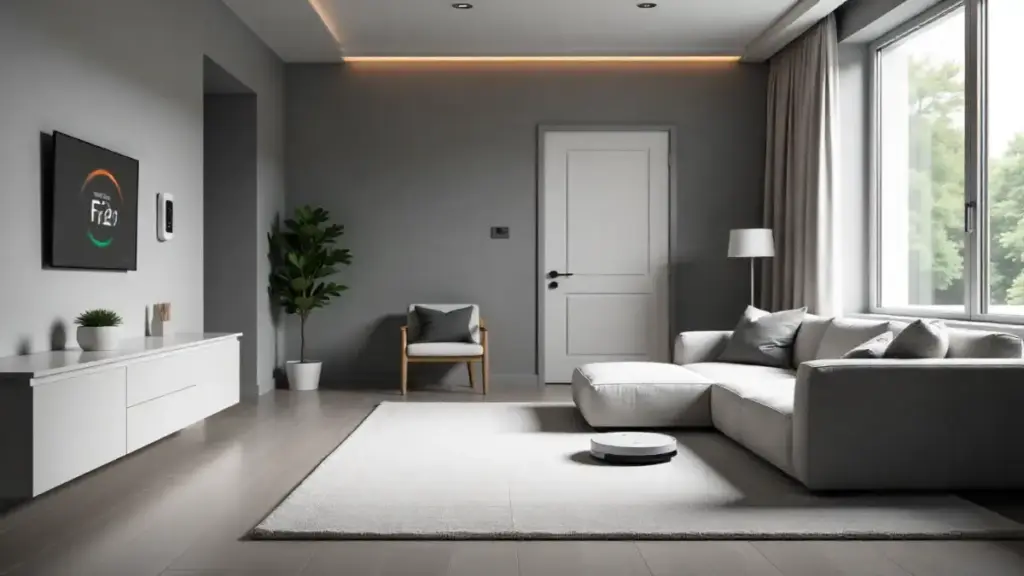
4. Robot Vacuum with Smart Mapping (iRobot Roomba j7+ or Roborock S7)
Price Range: $600-$900
Yes, this is a significant investment. But after testing five robot vacuums over the past year, I can confidently say that a quality model with smart mapping and auto-empty functionality is one of the few expensive smart gadgets that justifies its premium price.
I run my Roborock S7 every other day, and it’s recovered about 4-5 hours of my time per month—time I used to spend vacuuming manually. Over a year, that’s nearly 60 hours. Calculate your hourly rate, and suddenly $800 doesn’t seem unreasonable.
What separates the premium models from budget options is the intelligence. The j7+ recognizes and avoids obstacles like charging cables and pet waste (yes, it’s been tested in real-world conditions—mine successfully avoided a rogue dog toy that would have spelled disaster for lesser models). The mapping precision lets you create no-go zones and schedule specific rooms for cleaning, which means I can run it while I’m on a video call in my office without worrying about it barging in.
The auto-empty dock was the feature I thought I’d never need until I had it. Now I empty the base station once every 4-6 weeks instead of emptying the robot after every cleaning session. That convenience factor alone has kept me using it consistently rather than letting it become another abandoned gadget.
Why it’s worth it: Significant time savings, consistent cleaning performance, and the smart features actually solve real problems rather than adding complexity.
5. Smart Plug with Energy Monitoring (TP-Link Kasa Smart Plug)
Price Range: $10-$25
This might seem like an odd inclusion alongside $800 robot vacuums, but hear me out. Smart plugs are the unsung heroes of smart home automation, and the models with energy monitoring provide insights that can change your entire approach to home energy use.
I use eight smart plugs throughout my home, and they’ve solved problems I didn’t know could be solved. My coffee maker turns on automatically ten minutes before I wake up. My space heater shuts off automatically after two hours in case I forget. My outdoor lights follow a schedule that adjusts seasonally.
But here’s where energy monitoring becomes genuinely valuable: I discovered my old refrigerator was consuming $180 worth of electricity annually—way more than it should. That data justified upgrading to an energy-efficient model, which will save me money for years to come. I also identified that my TV and gaming console on standby mode were costing me $65 annually. Now they’re on smart plugs that cut power completely when not in use.
The TP-Link Kasa plugs have been bulletproof reliable across eighteen months of testing. Setup takes 90 seconds, they work with Alexa and Google Assistant, and at $10-15 each during sales, they’re an incredibly low-risk way to start building smart home automation.
Why it’s worth it: Affordable entry point to smart home automation, energy monitoring pays for itself, and the convenience factor improves with every device you add.
The Losers: 5 Smart Home Gadgets That Aren’t Worth Your Money
1. Smart Refrigerators with Touchscreens
Price Range: $3,000-$6,000 (compared to $1,200-$2,000 for equivalent non-smart models)
I spent two months testing a Samsung Family Hub refrigerator, and I can summarize the experience in one sentence: it’s a $2,000 premium for features you’ll use twice and then forget exist.
The massive touchscreen promises you can view recipes, leave notes for family members, and see what’s inside your fridge remotely via internal cameras. In reality, the screen becomes just another surface that gets smudged with fingerprints, the cameras don’t help because items get blocked by other items, and your phone already does everything the screen does—just better.
The fatal flaw? The smart features don’t address any actual refrigerator-related problems. Your food doesn’t stay fresher, it doesn’t organize itself, and the energy efficiency is comparable to non-smart models. You’re paying a massive premium for novelty features that add zero practical value to the core function: keeping food cold.
After the initial “wow” factor wore off (approximately 72 hours), I found myself ignoring the smart features entirely. The refrigerator worked fine, but it would have worked exactly as fine for $2,000 less.
Why it’s not worth it: Astronomical price premium for features that don’t improve core functionality, touchscreens become dated quickly, and repair costs are significantly higher.
2. Smart Mattress/Sleep Tracking Mattress
Price Range: $1,000-$4,000 premium over standard mattresses
The Eight Sleep Pod Pro caught my attention with promises of personalized temperature control and detailed sleep tracking. After three months of testing, I concluded that it’s a solution in search of a problem—and an expensive one at that.
The sleep tracking data was interesting for about a week, but it didn’t tell me anything actionable that a $50 fitness tracker couldn’t provide. The temperature control feature had promise—warming up in winter and cooling in summer—but it required constant adjustment and never quite felt natural. The system is also noisy enough that my partner complained about the humming, which somewhat defeats the purpose of a sleep optimization device.
Here’s the bigger issue: you’re tying smart technology to a mattress you’ll presumably keep for 8-10 years. Technology evolves rapidly, and in five years, the “smart” features will likely be obsolete while you’re still stuck with an expensive mattress. I tested a three-year-old model that had lost app support, rendering its smart features completely useless.
A quality traditional mattress paired with a smart thermostat and blackout curtains will improve your sleep far more effectively for a fraction of the cost.
Why it’s not worth it: Astronomical cost, technology becomes obsolete, minimal sleep improvement over traditional solutions, and you’re locking yourself into a tech ecosystem for the life of the mattress.
3. Smart Kitchen Appliances (Toasters, Slow Cookers, Coffee Makers)
Price Range: 2-3x the cost of standard equivalents
I’ve tested smart versions of nearly every kitchen appliance, and with rare exceptions, they’re solving problems that don’t exist. Do you really need to start your toaster from your phone? I tested the $300 Revolution InstaGLO smart toaster, and while the app control was technically functional, I never once thought, “I wish I could start toasting bread from another room.”
The smart slow cooker seemed promising—adjusting cook times remotely sounds convenient. But in practice, meal timing issues aren’t solved by an app; they’re solved by better planning. The $150 premium over a standard slow cooker bought me exactly zero additional convenience in real-world use.
Smart coffee makers fare slightly better since starting your brew remotely has genuine appeal. But here’s the thing: you still need to prep the coffee maker the night before, load the water, add grounds, and clean it afterward. The app just replaces pressing a button, which takes approximately 0.5 seconds.
The reliability issues compound the value problem. My smart slow cooker lost WiFi connectivity roughly once a week, requiring a reset. When smart appliances fail, you lose not just the smart features but sometimes core functionality too.
Why it’s not worth it: Massive price premiums for minimal convenience gains, connectivity issues create frustration, and the smart features don’t address actual pain points in food preparation.
4. Smart Air Purifiers with App Control
Price Range: $100-$200 premium over equally effective non-smart models
Air purifiers are essential in many homes, and I use them myself. But the smart versions with app control and air quality monitoring are charging premiums for features that range from marginally useful to completely unnecessary.
I tested the Dyson Pure Cool Link (a $500+ smart purifier) against a $250 non-smart Coway model with similar filtration specs. Both cleaned the air effectively. The Dyson’s app showed me detailed air quality metrics and allowed remote control. The Coway had physical buttons and an air quality indicator light.
In three months of testing, I checked the Dyson app maybe a dozen times. The novelty of seeing PM2.5 levels on my phone wore off quickly because the information didn’t change my behavior. The purifier ran automatically based on air quality sensors—which the non-smart Coway also had. The remote control feature proved useless since the purifier was in the same room where I spent most of my time anyway.
The $250 price difference would buy replacement filters for several years, which actually matters for long-term air purifier performance.
Why it’s not worth it: You’re paying for data you don’t need, remote control you won’t use, and the core air purification performance is identical to cheaper alternatives.
5. Smart Mirrors with Displays
Price Range: $500-$1,500
Smart mirrors promise to revolutionize your morning routine by displaying weather, news, calendar appointments, and more while you brush your teeth. I tested a $900 model for two months, and it revolutionized exactly nothing.
The fundamental problem is that your phone already does everything a smart mirror does—and it’s more convenient. Pulling out my phone to check the weather takes three seconds. The smart mirror displays the same information, but I’m locked to a specific location (my bathroom) to view it. That’s not an improvement; it’s a step backward in convenience.
The display quality was mediocre at best—seeing through the mirror to the display created a dim, hard-to-read image in normal bathroom lighting. To see it clearly, I needed to dim the lights, which defeats the purpose during morning routines when I actually need to see myself clearly.
Installation required permanent mounting and electrical work. When I moved it to a different bathroom to test mounting positions, I discovered the previous mounting holes were now permanent wall damage. For $900, I expected better than that.
The “fitness coaching” and “meditation guidance” features were clunky and felt tacked on. Nobody wants to do yoga poses while staring at their reflection in a bathroom. It’s awkward.
Why it’s not worth it: Your phone does everything better, poor display quality, inconvenient stationary positioning, and expensive installation for minimal benefit.
The Bottom Line: Smart Spending for Smart Homes
After years of testing smart home devices, I’ve learned that the best ones share common characteristics: they solve actual problems, save time or money, and continue providing value long after the novelty wears off. The worst ones prioritize flashy features over practical functionality and charge massive premiums for convenience gains you can measure in milliseconds.
My advice? Start with the proven winners—smart thermostats, video doorbells, and smart lighting. These devices have mature technology, reliable performance, and clear value propositions. Use smart plugs to test automation concepts before investing in expensive purpose-built devices.
And when a manufacturer tells you that adding “smart” capabilities to a basic appliance will transform your life, ask yourself: what problem does this actually solve? If the answer isn’t immediately obvious, your wallet will thank you for walking away.
The smart home revolution is real, but it’s happening selectively. Choose wisely, and your home gets more convenient and efficient. Choose poorly, and you’re just subsidizing the tech industry’s experimentation phase with your hard-earned money.
