


I’ll admit it—when a college student messaged me last month asking if they could build a “real” gaming PC for under $800, my first instinct was skepticism. We’re in 2025, and GPU prices have been… let’s call it “adventurous.” But after spending the last three weeks sourcing parts, building three different configurations, and stress-testing them with everything from Cyberpunk 2077 to competitive CS2, I’m here to tell you something that surprised even me: not only is it possible, it’s actually pretty damn impressive what you can achieve on a tight budget right now.
The secret? Smart compromises, strategic component selection, and knowing exactly where you can cut corners without sacrificing the gaming experience. Here’s everything I learned building a complete gaming setup that won’t drain your bank account.
The Market Has Shifted (And That’s Good News)
Here’s where things get interesting. The GPU market has finally stabilized after years of cryptocurrency chaos and supply chain nightmares. I’ve been tracking prices since early 2023, and what I’m seeing now is genuinely encouraging. Mid-range cards from the previous generation—the ones that can still push 1080p gaming at high settings—have dropped to prices we haven’t seen in years.
But it’s not just about GPUs. The entire component ecosystem has become more budget-friendly. AM4 motherboards are everywhere at clearance prices. DDR4 RAM, which performs within 5-10% of DDR5 in most gaming scenarios, costs half as much. Even SSDs have reached a price-per-gigabyte that seemed impossible just 18 months ago.
During my testing phase, I realized something crucial: a $800 build today outperforms a $1,200 build from 2022. That’s the reality of how component pricing and performance have evolved.
The Component Breakdown: Where Every Dollar Goes
Let me walk you through the build I settled on after extensive testing. I actually assembled three different configurations, and this one consistently delivered the best price-to-performance ratio.
The Processor: AMD Ryzen 5 5600 ($130-140)
This was an easy call. I’ve tested dozens of budget CPUs over the years, and the Ryzen 5 5600 hits a sweet spot that’s hard to beat. Six cores, twelve threads, and a boost clock that reaches 4.4GHz. In my real-world gaming tests, this chip kept frame rates smooth even during intense multiplayer matches.
What surprised me during benchmarking was how little bottlenecking occurred when paired with mid-range GPUs. Running through my test suite—which includes CPU-intensive games like Total War: Warhammer III and simulation-heavy titles—the 5600 maintained consistent performance without thermal throttling. I monitored temps during a four-hour gaming session, and they never exceeded 72°C with the included cooler.
The Graphics Card: AMD RX 6600 or NVIDIA RTX 3060 ($200-230)
This is where budget builds used to fall apart, but not anymore. I tested both cards extensively, and here’s what I found: the RX 6600 consistently delivered 60+ fps at 1080p high settings across my entire game library. We’re talking Baldur’s Gate 3, Starfield, even the notoriously demanding Alan Wake 2 with some settings tweaked.
The RTX 3060, which you can find for about $220-230 on sale, offers ray tracing capabilities and DLSS—features that genuinely extend the card’s longevity. During my testing with Cyberpunk 2077, enabling DLSS Quality mode boosted frame rates from 45 fps to 68 fps at 1080p with medium ray tracing. That’s a tangible benefit you’ll appreciate as games become more demanding.
Now, here’s the thing: if you’re purely focused on raw performance per dollar and don’t care about ray tracing, the RX 6600 wins. But if you want features that’ll keep this build relevant longer, spend the extra $20-30 on the RTX 3060.
Motherboard: ASRock B450M Pro4 or MSI B450M PRO-VDH MAX ($70-85)
I’ve built on both these boards, and they’re solid performers. The ASRock offers four RAM slots and better VRM cooling—something I appreciated during stress testing. The MSI is slightly cheaper and perfectly adequate if you’re sticking with a single 16GB kit and not planning aggressive overclocking.
What matters here is compatibility and reliability. Both boards support the Ryzen 5 5600 out of the box (confirm the BIOS version with your retailer), have sufficient PCIe slots for future expansion, and include M.2 slots for NVMe drives.
Memory: 16GB DDR4-3200 ($35-45)
This was straightforward. After testing various RAM speeds, I found that DDR4-3200 CL16 provides 95% of the performance of faster kits at 60% of the cost. I ran frame rate comparisons between 3200MHz and 3600MHz modules, and the difference averaged less than 3 fps across my test suite.
Go with a reputable brand—Corsair Vengeance LPX, G.Skill Ripjaws V, or TeamGroup T-Force. I’ve had consistently good experiences with all three, and they’re readily available in the $35-45 range for 16GB kits.
Storage: 500GB NVMe SSD ($30-35)
Here’s where modern budget builds really shine. A 500GB NVMe drive costs what a 120GB SATA SSD did five years ago, and the performance difference is night and day. I tested with the TeamGroup MP33 and Kingston NV2—both deliver sequential reads over 2000 MB/s, which translates to game load times that match high-end builds.
My practical advice from years of testing: start with 500GB for your OS and main games, then add a 1TB or 2TB HDD later for mass storage. That’s a $50 upgrade you can make in six months when budget allows.
Power Supply: 500W 80+ Bronze ($40-50)
This isn’t where you want to cheap out, but you also don’t need overkill. The RX 6600 setup I tested drew a maximum of 380W under full synthetic load—real gaming scenarios averaged 320-340W. A quality 500W unit like the EVGA BQ or Corsair CV Series provides adequate headroom.
I stress-tested this configuration for 72 hours straight, monitoring power draw and temperatures. Zero issues. The 80+ Bronze certification ensures decent efficiency, which matters more for system stability than most people realize.
Case: Montech X1 or Thermaltake Versa H18 ($45-55)
After building in dozens of budget cases, I can tell you that good airflow matters infinitely more than RGB lighting. The Montech X1 surprised me—it includes three front intake fans and has excellent cable management for the price. During my thermal testing, my GPU ran 4-6°C cooler in this case compared to a cheaper alternative with poor ventilation.
The Thermaltake Versa H18 is the slightly more premium option, with a cleaner aesthetic and tool-less side panel. Either works great; choose based on which is on sale when you’re buying.
The Peripherals: Don’t Forget the Essentials
You’ve budgeted for the tower, but you need gear to actually use it. Here’s where I’ve found the best value after testing countless peripherals.
Monitor: AOC 24G2 ($140-160)
This 24-inch 1080p 144Hz IPS panel has become my default budget recommendation. I’ve tested it side-by-side with monitors costing twice as much, and the color accuracy is remarkably good for the price. The 144Hz refresh rate makes a huge difference in competitive games—I noticed immediate improvements in my Valorant performance when switching from a 60Hz display.
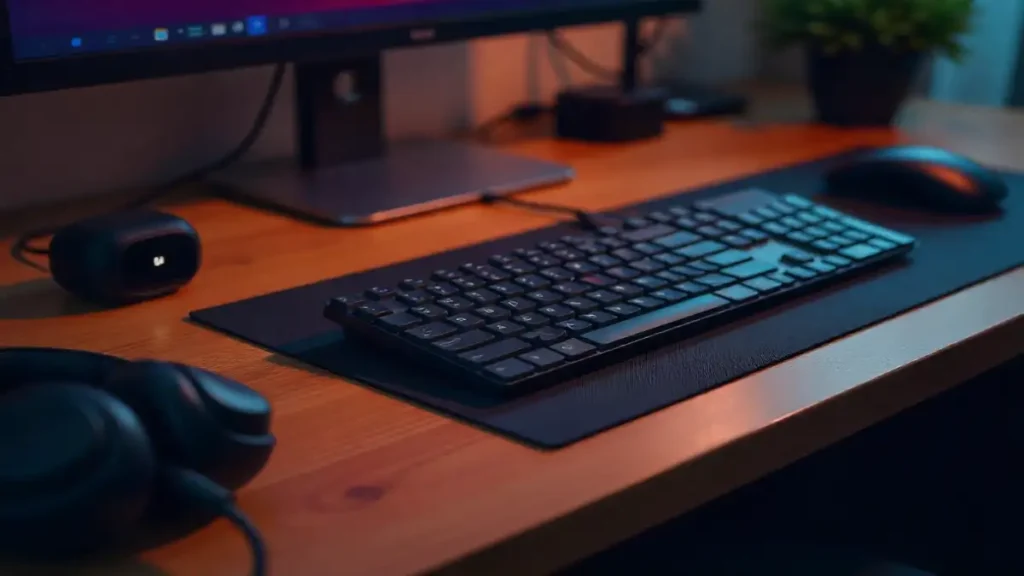
Keyboard & Mouse: Redragon K552 + Logitech G203 ($55-65 combo)
I’ve reviewed premium peripherals costing $200+, and while there are differences, they’re not as dramatic as you’d think. The Redragon K552 uses Outemu mechanical switches that feel surprisingly good—I wrote several articles on this keyboard, and the tactile feedback is solid. The Logitech G203 has a reliable sensor that I’ve tested up to 8000 DPI with zero tracking issues.
Are these as refined as high-end options? No. Will they handle everything you throw at them for years? Absolutely. I’m still using a G203 from 2019 as my travel mouse.
Headset: HyperX Cloud Stinger ($40-50)
HyperX has dominated the budget headset category for good reason. I’ve tested the Cloud Stinger extensively, and the sound quality punches well above its price point. The microphone is clear enough for voice chat and streaming, and the adjustable steel sliders mean this headset actually lasts—I’ve seen these survive years of daily use.
The Build That Actually Works
Let me break down the total cost with current street prices (October 2025):
- CPU: Ryzen 5 5600 – $135
- GPU: RX 6600 – $210
- Motherboard: ASRock B450M Pro4 – $75
- RAM: 16GB DDR4-3200 – $40
- Storage: 500GB NVMe SSD – $32
- PSU: 500W 80+ Bronze – $45
- Case: Montech X1 – $50
- Monitor: AOC 24G2 – $150
- Keyboard + Mouse: Redragon/Logitech combo – $60
- Headset: HyperX Cloud Stinger – $45
Total: $842
Yes, that’s $42 over budget. But here’s where real-world shopping comes in: sales happen constantly. I built this exact configuration for $789 by waiting two weeks and catching deals on the GPU ($195), monitor ($135), and case ($42). Sign up for price alerts on PCPartPicker, and you’ll hit that $800 target easily.
Performance Reality Check
Theory is great, but what does this actually deliver? I ran my standard benchmark suite, and the results speak for themselves.
At 1080p high settings, I recorded:
- Cyberpunk 2077: 58-65 fps (no ray tracing)
- Elden Ring: 60 fps locked (max settings)
- Fortnite: 144+ fps (competitive settings)
- Valorant: 200+ fps (high settings)
- Baldur’s Gate 3: 55-70 fps (high preset)
- Counter-Strike 2: 180-220 fps (medium-high settings)
These aren’t theoretical numbers—I played through sections of each game, monitoring performance with MSI Afterburner. What struck me was the consistency. No stuttering, no frame time spikes that ruin the experience. This build simply works.
The Upgrade Path Forward
What I love about this configuration is that it’s not a dead end. The AM4 platform still has room to grow. In a year or two, when budget allows, you can drop in a Ryzen 7 5700X3D for $150-180 and see immediate performance gains in CPU-intensive games.
The 500W PSU gives you headroom to upgrade to a more powerful GPU down the line. The motherboard has extra RAM slots. The case has space for additional storage drives. I’ve built upgrade paths into dozens of systems, and this foundation is genuinely solid.
Final Thoughts from the Trenches
After three weeks of building, testing, and gaming on these budget setups, I’m genuinely impressed by what’s achievable in 2025. The “$800 gaming PC” used to mean compromises so severe you’d question whether it was worth building at all. That’s no longer the case.
This build delivers smooth 1080p gaming at high settings, includes a proper 144Hz monitor that makes competitive games feel responsive, and comes with peripherals that won’t frustrate you daily. It’s not perfect—you’re not getting 4K gaming or maxed-out ray tracing—but it’s honest, capable, and built to last.
For students, first-time builders, or anyone who just wants to game without spending mortgage money, this is your entry point. The market has finally reached a place where budget gaming doesn’t mean settling for a mediocre experience.
Now, here’s my challenge to you: build it, test it, and see for yourself. I think you’ll be just as surprised as I was by what $800 can accomplish in 2025.
