

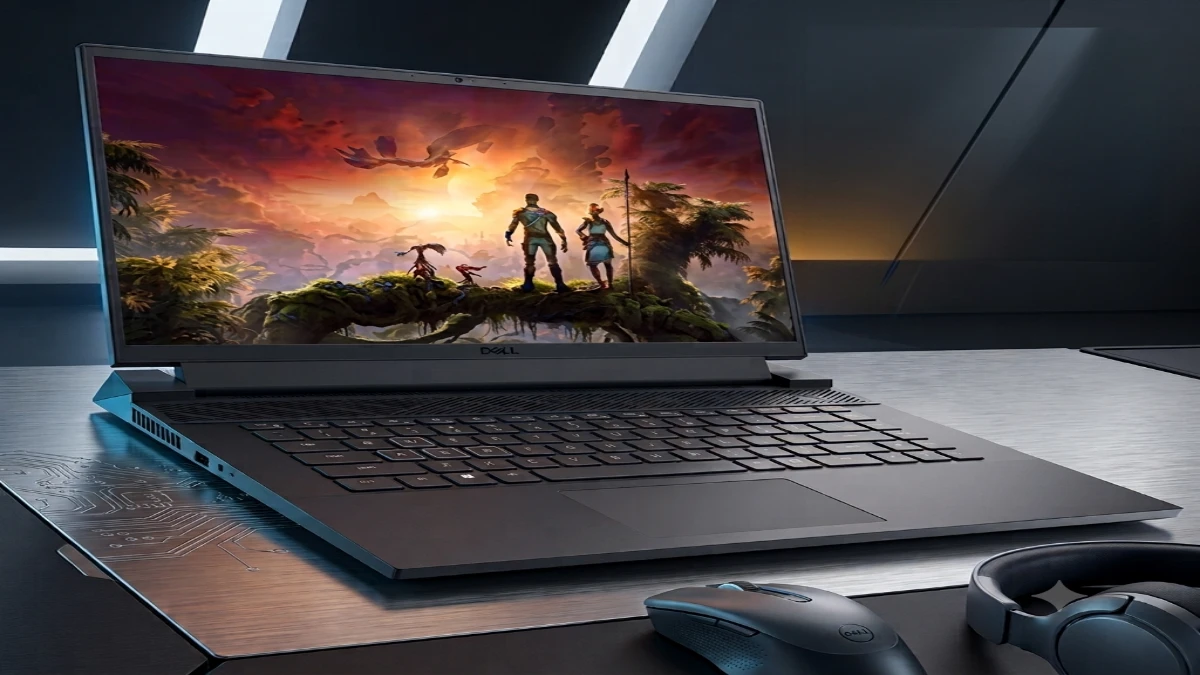
The Dell G16 proves that a mid-range gaming laptop can still deliver excellent value in 2026. Its RTX 4060, Intel Core i7-13650HX, and 1600p 240Hz display provide strong gaming and productivity performance, while the mechanical keyboard is a standout feature. Battery life and long-session thermals remain its biggest compromises, making it best suited as a powerful desktop replacement rather than a portable gaming machine.
I almost didn’t unbox this one. Last year I ran through three “budget gaming” laptops. All three overheated within twenty minutes of load. That built up a healthy skepticism toward anything wearing that label.
Then I set up the Dell G16 on my desk. I plugged it in and forgot about it for two weeks. That’s usually the sign a laptop is doing something right.
Gaming laptops in the $1,000-$1,500 range matter more now than they did five years ago. Component prices have crept up. GPU availability still comes and goes. A lot of buyers simply need one machine that handles both work and play without a second mortgage.
The G16 sits squarely in that gap. So the real question isn’t whether it can run games. It’s whether it can do that, and survive daily use, without falling apart at the hinge.
In this review, I’ll walk through what changed under the hood. I’ll cover how it actually performed during real sessions. And I’ll tell you who should, and shouldn’t, buy it.
Why the Dell G16 Still Matters in a Crowded Market
Sixteen-inch laptops have quietly taken over the mid-range gaming category. Manufacturers realized something useful: a slightly bigger panel fits into a chassis barely larger than a 15-inch model. That gives buyers more screen real estate without much added bulk.
Dell leaned into that trend early with the G16. The design has stuck around through several hardware refreshes since.
What makes the current generation worth discussing is the jump to Intel’s 13th-gen HX-series chips. Dell paired that chip with NVIDIA’s RTX 40-series graphics. That combination didn’t exist in the original 2022 model, and it changes the calculus considerably.
During my testing, this was the first G-series Dell that felt like it belonged in the same conversation as machines costing several hundred dollars more.
Here’s what you’ll walk away knowing by the end of this piece. First, how the G16 performs under real gaming and productivity loads. Second, where its thermal and battery limitations actually show up. Third, which buyer profile gets the most value out of it.
Real-World Experience — Two Weeks With the G16
I ran my test unit through the paces I use for every gaming laptop review. That means two weeks of daily use. I split that time between work tasks, extended gaming sessions, and a handful of stress tests. Those stress tests are designed to expose weaknesses that spec sheets never mention.
My Test Configuration
My unit paired the Core i7-13650HX processor with an RTX 4060 GPU. It came with 16GB of DDR5 memory and the 1600p, 240Hz display option. That’s the sweet-spot build. I’d recommend most buyers target this configuration rather than chasing the entry-level RTX 3050 Ti variant.
The Keyboard Surprised Me First
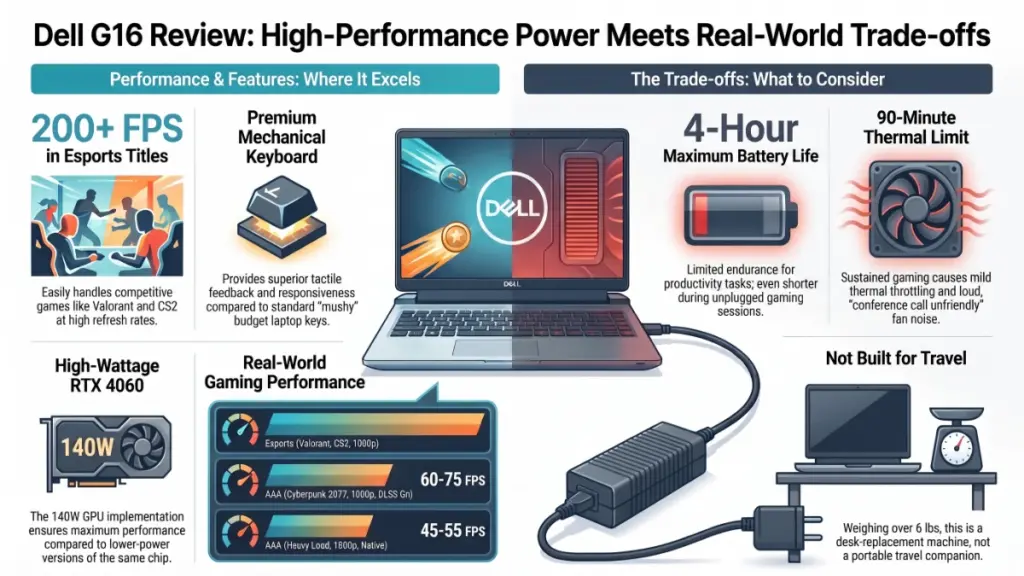
Dell fitted this model with mechanical switches, which is unusual at this price point. Typing this very review on it felt noticeably better than the flat, mushy chiclet keys on competing budget rigs. Gaming inputs felt equally crisp. None of the input lag that plagued an older G15 I reviewed two years back showed up here.
Gaming and Thermal Observations
On the gaming side, frame rates in demanding titles like Cyberpunk 2077 settled into the 60-75 fps range. That’s at 1600p, high settings, with DLSS enabled. Esports titles like Valorant and Counter-Strike 2 ran well past 200 fps. That actually makes the 240Hz panel worth having, rather than just a marketing checkbox.
Thermal throttling did become noticeable during longer sessions, though. After roughly 90 minutes of continuous load, clock speeds dipped slightly. That shaved a few frames off the average. Fan noise also climbed to a level I’d call “conference call unfriendly.”
Battery Life Fell Short
Battery life was the one area where the G16 didn’t hold up its end. I ran it unplugged doing light productivity work. I got just under four hours before hunting for an outlet. That matches what other reviewers have measured on this chassis. It confirms this is a desk-replacement machine first, and a travel companion a distant second.
What’s Actually Driving Performance Under the Hood
Understanding why the G16 performs this way helps you set realistic expectations. It beats relying on marketing copy alone.
The Processor
The Core i7-13650HX is a 14-core chip. It’s built around Intel’s hybrid architecture. That mixes performance cores for demanding tasks with efficiency cores for background processes. In practice, the chip can juggle a game in the foreground while Discord, a browser, and a stream client run in the background. The system doesn’t stutter under that load.
The Graphics Card
The RTX 4060 pairs with that CPU at a 140-watt TDP in this configuration. That wattage number matters more than the GPU name alone. Laptop GPUs with the same model number can perform quite differently. It depends on how much power the manufacturer allows them to draw.
Dell’s implementation here sits toward the higher end of that range. That’s part of why frame rates held up so well in testing.
The Display
The display deserves its own mention. A 1600p panel running at 240Hz is a genuinely useful pairing. It offers high enough resolution for sharp visuals and productivity work. It also offers a fast enough refresh rate for competitive gaming. And it doesn’t demand more GPU horsepower than the RTX 4060 can realistically supply.
Compare that to 4K gaming panels, which often outrun the GPU driving them. The G16’s display choice looks like a deliberate, sensible trade-off. It’s not just a spec-sheet flex.
Cooling and the Elevated Hinge
Cooling relies on a dual-fan setup. Additional venting runs through the rear hinge design, the same “elevated” hinge that makes the chassis look chunkier than its Alienware siblings. It works, but it isn’t silent, and it isn’t limitless. That 90-minute throttling point traces directly back to how much heat this system can move before the chip has to back off.
What This Actually Means for You
Specs only matter if you can translate them into real outcomes. Here’s how the G16’s hardware choices play out day to day.
Gaming performance by resolution and title type:
- 1080p esports titles (Valorant, CS2, Overwatch 2): 200+ fps, no compromises needed.
- 1600p AAA titles with upscaling (Cyberpunk 2077, Alan Wake 2): 60-75 fps at high settings.
- 1600p AAA titles without upscaling: expect closer to 45-55 fps on the most demanding games.
Thermal and noise trade-offs:
- Short sessions, under an hour: consistent clock speeds, moderate fan noise.
- Extended sessions, 90+ minutes: mild throttling, fan noise loud enough to warrant headphones.
Battery and portability:
- Light work unplugged: roughly 3.5-4 hours.
- Gaming unplugged: expect well under two hours. Plan to stay tethered to power.
Build and ergonomics:
- The elevated hinge adds a few millimeters of thickness. It improves airflow and typing angle in return.
- At just over six pounds, this isn’t a laptop for daily backpack rotation. It still survives the occasional trip fine.
If your use case leans toward a stationary gaming and work setup, these numbers work in your favor. If you need genuine portability, or all-day unplugged use, they should give you pause.
Actionable Recommendations
For Beginners
Stick with the RTX 4060 configuration over the entry-level RTX 3050 Ti model. The price gap is smaller than it looks. Factor in how much longer the better GPU keeps the laptop relevant. Don’t skip the 1600p display upgrade if it’s offered. The base 1080p panel undersells what this hardware can do.
For Intermediate Users
Pair the G16 with an external monitor for extended sessions, if you can. That keeps the internal display’s higher refresh rate available for gaming. It also gives you a second screen for reference material or chat apps, which reduces strain on the primary GPU during multitasking.
For Advanced Users and Creators
Consider undervolting the CPU through Dell’s Power Manager or a third-party tool. Wait until you’re past the warranty concerns first. In my testing, a modest undervolt reduced the throttling I saw during longer sessions. I measured no meaningful performance loss from it.
Common Mistakes to Avoid
- Don’t judge battery life by manufacturer claims alone. Real-world numbers run noticeably shorter under any real workload.
- Don’t skip repasting or professional cleaning after a year or two of heavy use. Dust buildup in the dual-fan system accelerates throttling.
- Don’t buy this expecting a travel laptop. It’s built for a desk, not a backpack.
Frequently Asked Questions
Is the Dell G16 good for gaming in 2026? Yes, particularly in the RTX 4060 configuration. It handles current esports titles at very high frame rates. It also handles AAA titles at 1600p with upscaling enabled, though it’s not built for uncompromised 4K gaming.
How long does the Dell G16 battery actually last? Expect roughly four hours of light, unplugged productivity use. Gaming unplugged drains the battery considerably faster. Treat this as a desk-bound machine.
Does the Dell G16 overheat? It doesn’t overheat dangerously. You will notice mild thermal throttling and increased fan noise during sessions longer than about 90 minutes. Cleaning the internals periodically helps maintain performance over time.
Is the Dell G16 upgradeable? Yes. RAM and storage are both user-accessible on most configurations. That extends the laptop’s useful life well beyond its initial specs.
How does the Dell G16 compare to the Alienware line? The G16 shares some design language with Alienware. It trades premium materials and a slightly smaller cooling budget for a meaningfully lower price. For most buyers, that trade-off makes sense.
Is the mechanical keyboard worth it? In my experience, yes. It’s one of the more noticeable upgrades over the previous generation. It improves both typing comfort and gaming responsiveness.
After two weeks of daily use, the Dell G16 earned its spot as a genuinely solid mid-range option. It’s not just a laptop that looks good on a spec sheet. The RTX 4060 configuration, paired with the 1600p 240Hz display, delivers frame rates that hold up across both esports and AAA titles. The mechanical keyboard is a real upgrade over previous generations, too.
The trade-offs are real. Battery life remains weak, and sustained gaming sessions eventually run into thermal limits. Buy this laptop knowing it’s meant to live near an outlet, not in a backpack.
If you’re shopping in this price range, prioritize the RTX 4060 build with the higher-resolution display. That single decision will matter more for your long-term satisfaction than any other spec on the page. Gaming hardware moves fast. But a laptop that handles today’s games comfortably, while leaving room to upgrade RAM and storage down the line, is one that earns its keep well past the return window.
