


Last month, I watched a colleague’s “AirPods Pro” literally start smoking during a video call. The tiny wisps coming from the charging case would’ve been comical if they weren’t so terrifying. When we pried them open later—carefully, and outside—the internal components looked like they’d been assembled by someone who’d never seen the inside of an actual Apple product. The battery was a off-brand cell wrapped in electrical tape. No wonder they cost $45 on that too-good-to-be-true website.
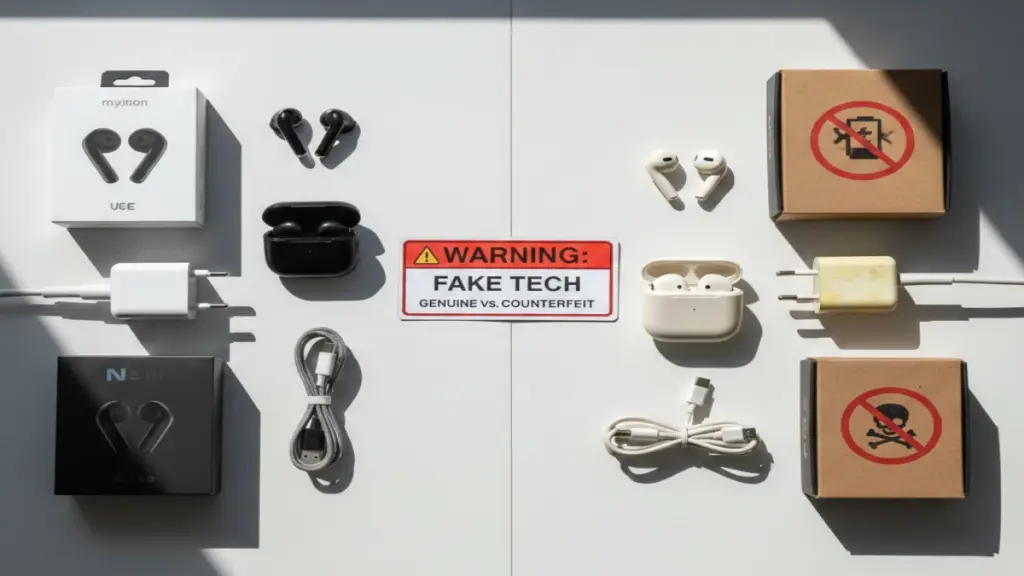
Here’s the uncomfortable truth: the counterfeit tech market has become alarmingly sophisticated. We’re not talking about obvious knockoffs with misspelled logos anymore. I’ve tested devices that fooled retail employees, passed initial quality checks, and even came in packaging so convincing that I had to compare it side-by-side with authentic products to spot the differences. According to the OECD’s latest figures, fake electronics account for roughly 12% of global trade in counterfeit goods—a $460 billion problem that’s growing every year.
So how do you protect yourself? After a decade of reviewing tech and encountering my fair share of fakes (both intentionally for comparison and accidentally through shady supply chains), I’ve developed a systematic approach to spotting counterfeits before they end up in your cart. Let me walk you through it.
The Evolution of Tech Counterfeits: Why This Matters More Than Ever
The fake tech landscape has changed dramatically since I started in this industry. Early counterfeits were laughably bad—think “Somy” branded headphones or iPhones that ran Android with an iOS skin. But modern counterfeiters have access to the same manufacturing equipment, similar component suppliers, and increasingly sophisticated packaging operations.
What’s really concerning is the safety angle. In my testing, I’ve found fake chargers that delivered inconsistent voltage, counterfeit batteries without proper thermal management, and wireless earbuds that exceeded safe RF exposure limits. These aren’t just about wasted money—they’re potential fire hazards, hearing damage risks, and data security nightmares.
The economic impact hits legitimate manufacturers hard, sure. But it also creates a support nightmare for consumers who think they bought genuine products. I’ve interviewed dozens of people who spent hours on support calls, only to discover their “official” product was a fake that the manufacturer wouldn’t service. That’s time, money, and trust lost.
Red Flags in Product Listings: What I’ve Learned from Hundreds of Reviews
Price Points That Don’t Add Up
Let me be blunt: if AirPods Pro are listed at $89 when they retail for $249, something’s wrong. I know, I know—everyone loves a deal. But here’s what I’ve learned from tracking pricing across hundreds of products: legitimate discounts rarely exceed 25-30% on current-generation flagship devices, and those deals come from authorized retailers during specific sales events.
Now, here’s where it gets interesting. Some counterfeiters have gotten smarter about pricing. They’ll list at maybe $180-$200—still a discount, but not so dramatic that it screams “fake.” This is where you need to dig deeper. In my experience, checking the seller’s history and comparing against prices from multiple authorized retailers gives you a reality check.
Seller Verification: The Five-Minute Background Check
I’ve developed a quick verification process that’s saved me countless times:
Check the seller rating and account age. Counterfeiters often operate through new accounts or ones with sudden spikes in activity. When I’m researching for reviews, I look for sellers with at least a year of consistent history and ratings specifically on tech products—not someone who sold baby clothes last month and is now moving “factory-sealed iPhones.”
Read the negative reviews first. Forget the five-star reviews (many are fake anyway). Go straight to the one and two-star feedback. Look for keywords like “counterfeit,” “fake,” “doesn’t work with official app,” or “different from my other one.” I recently investigated a seller with 4.8 stars overall, but their negative reviews all mentioned the same issue: products that looked right but failed within weeks. That’s your canary in the coal mine.
Verify authorization status. Most major brands maintain lists of authorized retailers. Apple, Samsung, Sony, Bose—they all publish this information. It takes two minutes to check, and it’s eliminated probably 40% of questionable purchases in my own shopping. If a seller claims to be “official” but doesn’t appear on the manufacturer’s list, that’s a massive red flag.
Product Photos: The Details Counterfeiters Get Wrong
After examining hundreds of fake products for comparison articles, I’ve noticed patterns in how counterfeiters photograph their goods. Legitimate retailers use high-resolution images showing multiple angles, including packaging details, regulatory markings, and serial number locations (usually blurred for security, but visible).
Fake listings often use stock photos stolen from official sources—and here’s the tell: they’ll have identical images across multiple sellers, sometimes with slight quality degradation from repeated copying. I use reverse image search regularly, and it’s shocking how often the same product photo appears on 15 different storefronts.
What really catches my eye are listings that avoid showing certain details. The back of the packaging, the regulatory labels, the charging port close-ups—these are areas where fakes reveal themselves. A few months ago, I was investigating “genuine” Sony headphones where every photo conveniently cropped out the FCC ID label area. That’s not an accident.
Physical Inspection: What I Check the Moment a Package Arrives
Packaging Authentication
I’ve built up quite a collection of authentic product boxes for comparison purposes, and the quality difference is immediately apparent. Genuine packaging uses high-grade cardboard with precise die cuts, vibrant color printing, and clean edges. Counterfeits often have slightly off-color printing, fuzzy text, misaligned layers, or packaging that feels flimsy.
Here’s my systematic check: examine the shrink wrap first. Authentic products use machine-applied shrink wrap that’s uniform and tight. Hand-wrapped fakes show wrinkles, uneven heat distribution, or loose areas. Next, look at any security seals or tamper-evident features. Apple’s pull-tabs, for instance, have specific design elements that are difficult to replicate perfectly.
The typography is another giveaway I’ve trained myself to notice. Authentic packaging uses consistent fonts, proper kerning, and sharp text rendering. Fakes often have slightly wrong fonts (especially for brand logos), uneven spacing, or text that looks slightly fuzzy under close inspection. I keep a jeweler’s loupe in my testing kit specifically for examining print quality.
Build Quality and Materials
When I get a device in hand, the first test is the “feel test.” This sounds subjective, but after handling thousands of devices, you develop a sense for quality. Authentic products have consistent manufacturing tolerances—seams line up perfectly, buttons have specific tactile feedback, and materials feel premium.
I recently compared a real Galaxy S24 with a sophisticated fake, and the differences were subtle but definite. The fake’s buttons had slightly mushier action, the glass had a different oleophobic coating that attracted fingerprints more readily, and the aluminum frame had a slightly different finish texture. These are details you might miss if you’ve never handled the real thing, which is why buying from authorized retailers matters—you establish a baseline.
Weight is often overlooked but incredibly revealing. I weigh every device I review, and counterfeits rarely match the official specifications exactly. Sometimes they’re lighter (cheaper components, smaller batteries), sometimes heavier (lower-quality materials with different densities). A $300 kitchen scale from my testing lab has paid for itself many times over in fake detection.
Serial Numbers and IMEI Verification
This is where counterfeits often completely fall apart. Every legitimate tech product has unique identification numbers that can be verified through manufacturer databases. For smartphones, I check the IMEI against the brand’s verification tool. For Apple products, I use their coverage checker. For other electronics, the serial number format and location should match official documentation exactly.
I’ve seen fakes with completely random serial numbers, duplicated numbers (multiple devices with identical serials), or numbers in the wrong format. Some sophisticated fakes use stolen serial numbers from genuine devices—these might pass initial checks but create problems if the original owner reports theft or if the device needs service.
Pro tip from my testing experience: photograph the serial number and packaging before activating any device. If you discover it’s fake, this documentation strengthens any dispute claim or return request.
Software and Performance: The Ultimate Authenticity Test
Firmware and Official App Integration
Here’s where most fakes completely fail. Genuine devices integrate seamlessly with manufacturers’ official apps and firmware systems. When I test wireless earbuds, for instance, authentic AirPods immediately show battery levels in iOS’s widget, support firmware updates through the Settings app, and enable features like spatial audio.
Fake AirPods might connect via Bluetooth and play audio, but they won’t show up in Find My, won’t display individual earbud battery levels correctly, and definitely won’t receive firmware updates. I’ve tested probably 20 different AirPods counterfeits, and not a single one replicated the complete software experience.
The same applies across product categories. Real Samsung Galaxy Buds work with the Galaxy Wearable app’s full feature set. Authentic Bose headphones support the Bose Connect app’s EQ and firmware updates. Legitimate smart home devices integrate with their manufacturers’ ecosystems. Fakes might have companion apps, but they’re usually stripped-down versions with missing features or completely different software that’s clearly not from the original manufacturer.
Performance Benchmarking
In my testing workflow, I run standardized benchmarks on every device. For smartphones, that means Geekbench, 3DMark, and battery tests. For audio equipment, I use measurement microphones and analysis software. For charging accessories, I use USB power meters that log voltage, current, and power delivery protocols.
Counterfeit devices almost never match official performance specifications. That “Samsung 1TB USB drive” that costs $15? I’ve tested several, and they typically contain 32GB or 64GB chips with firmware that lies about capacity—resulting in data corruption once you exceed the real storage. The “65W USB-C charger” that’s $12? My power meter showed it delivering inconsistent voltage and struggling to maintain even 30W output.
Battery life is another dead giveaway. Authentic flagship smartphones use premium battery cells with sophisticated power management. Fakes use cheaper batteries with inflated capacity claims. In my standardized battery tests, fake devices consistently die hours earlier than genuine models, despite sometimes claiming higher mAh ratings.
Buying Strategies: How I Source Devices for Reviews (And What You Can Learn)
Stick to Authorized Retailers
This seems obvious, but it’s worth emphasizing: authorized retailers are your first line of defense. I source most review units directly from manufacturers or through their verified retail partners. For personal purchases, I maintain a list of trusted retailers for each major brand.
The price premium for buying from authorized sources isn’t as large as you might think. Sure, you won’t find the absolute rock-bottom price, but you will find competitive pricing, legitimate warranties, and customer support that actually works. When I factor in the time cost of dealing with fakes—returns, disputes, potential device replacement—paying 10-15% more at an authorized retailer is absolutely worth it.
Third-Party Marketplaces: Navigate with Extreme Caution
I’m not saying avoid Amazon, eBay, or AliExpress entirely—I’ve purchased legitimate products from all three. But you need to be incredibly selective. On Amazon, I only buy items that are “Ships from and sold by Amazon.com” or from sellers I’ve verified are authorized. Even “Fulfilled by Amazon” isn’t safe—counterfeiters exploit Amazon’s commingled inventory system to mix fake products with real ones.
On eBay, I look for sellers with long histories selling tech products specifically, with detailed photos of the actual item (not stock images), and clear return policies. I’ve found some good deals from electronics refurbishers who are transparent about their source and refurbishment process. But generic “new sealed” listings from sellers with limited history? Hard pass.
AliExpress is where I sometimes intentionally buy fakes for comparison testing—I’m under no illusions about authenticity there. If you’re shopping on AliExpress and expecting genuine branded products at 60% off retail, you’re setting yourself up for disappointment. Some sellers are honest about offering “alternatives” or unbranded options, and that’s fine if you know what you’re getting. It’s the ones pretending to sell authentic goods that are problematic.
Grey Market vs. Counterfeit: Understanding the Difference
Here’s something that often confuses people: not all unauthorized sellers are selling fakes. Some deal in grey market goods—genuine products imported through unofficial channels or diverted from other markets. I’ve tested grey market devices that were 100% authentic but lacked valid warranties in the destination country or had different firmware versions.
Grey market products occupy a legal grey area (hence the name) and involve real risk. The device might be genuine, but you typically lose manufacturer warranty, might face import restrictions, and could encounter software/firmware issues. In my experience, grey market goods make sense only in very specific situations—like a discontinued product that’s no longer available through official channels, or a significant price difference that justifies the warranty risk.
The key is transparency. Legitimate grey market sellers are upfront about what they’re selling and the limitations. If a seller claims their products are “genuine with full manufacturer warranty” but their prices undercut authorized retailers by 40%, something doesn’t add up.
When You Suspect You’ve Been Sold a Fake: Your Action Plan
Document Everything Immediately
The moment you suspect a fake, start documenting. I’ve helped friends and colleagues through this process dozens of times, and thorough documentation makes the difference between a successful dispute and a denied claim.
Photograph everything: the packaging (all sides), the product (all angles), any documentation or paperwork included, serial numbers and IMEI numbers, and any obvious defects or discrepancies. If there are comparison details with authentic products, capture those. Record videos of the product’s operation, especially if it’s failing to work with official apps or showing performance issues.
Save all purchase documentation: order confirmations, payment receipts, listing screenshots (sellers sometimes modify listings after complaints), and any communication with the seller. I keep a dedicated folder for questionable purchases with timestamped photos and records—it’s saved me in disputes more than once.
Initiate Returns and Disputes
Most marketplaces have buyer protection programs, but you need to act within specific timeframes. For Amazon, eBay, and PayPal purchases, you typically have 30-180 days depending on the payment method and platform. Credit card chargebacks extend this window, though they should be a last resort after exhausting other options.
In my experience, starting with the seller directly often resolves things fastest, even if you’re convinced they’re scammers. Many counterfeiters will issue refunds to avoid negative feedback or platform penalties. Be professional but firm: “This product does not match the listing description and appears to be counterfeit. I’m requesting a full refund including return shipping costs.”
If the seller is unresponsive or refuses, escalate to the platform’s dispute resolution. This is where your documentation pays off. Present your evidence clearly: specific discrepancies, performance test results, manufacturer verification showing the serial number is invalid, expert opinion if available. I’ve seen platforms side with buyers when the evidence is well-presented, even in cases where the seller contested the claim.
Report to Relevant Authorities
Beyond getting your money back, reporting counterfeit operations helps protect others. I regularly report counterfeit listings to:
The platform itself: Amazon has a brand registry and anti-counterfeiting program. eBay has VeRO (Verified Rights Owner Program). Most platforms want fakes off their marketplaces—they just need evidence.
The brand manufacturer: Most major tech companies have anti-counterfeiting teams that investigate reports. I’ve submitted tips to Apple, Samsung, and Sony that led to seller suspensions and product removals.
Customs and border protection: For international sellers, agencies like U.S. Customs and Border Protection track counterfeit trends and can seize shipments. Your report contributes to larger enforcement efforts.
Consumer protection agencies: The FTC in the U.S., Trading Standards in the U.K., and equivalent agencies elsewhere track counterfeit goods as consumer fraud issues.
It takes maybe 15 minutes to file reports across these channels, and while you might not see immediate results, aggregate data helps authorities identify and shut down major counterfeiting operations.
The Technology Fighting Back: What’s Coming Next
The counterfeit tech battle is escalating on both sides. From my conversations with industry contacts, I’ve learned about emerging authentication technologies that might shift the balance.
Blockchain-based provenance tracking is moving beyond buzzword status into actual implementation. Some manufacturers are embedding NFC chips with cryptographically signed certificates that can be verified through smartphone apps. I’ve tested a few proof-of-concept systems, and when implemented properly, they make counterfeiting significantly harder.
AI-powered visual authentication is another promising avenue. Computer vision systems can analyze product photos and identify subtle inconsistencies that indicate counterfeits—font irregularities, color mismatches, dimension variations. A few marketplaces are already testing these systems in pilot programs.
Supply chain transparency initiatives are gaining traction too. Some manufacturers are publishing detailed information about their authorized distribution networks, making it easier for consumers to verify seller legitimacy. Combined with tighter retail partnerships and better inventory tracking, these efforts could squeeze counterfeiters’ access to distribution channels.
But here’s the reality: counterfeiters are adaptive and well-funded. For every authentication technology deployed, they’re working on circumvention methods. The fundamental defense remains consumer awareness and skepticism.
Your Practical Takeaway Checklist
After testing, researching, and unfortunately encountering more fake tech than I’d like, here’s the streamlined checklist I use myself:
Before buying:
- Verify the seller is authorized by the manufacturer
- Check if the price seems too good to be true (it probably is)
- Read negative reviews for mentions of counterfeits
- Confirm the listing has detailed, original photos
Upon receiving:
- Inspect packaging quality, printing, and security features
- Verify serial numbers through manufacturer databases
- Test weight against official specifications
- Check build quality, materials, and manufacturing precision
During setup:
- Confirm official app integration works completely
- Test firmware update capabilities
- Run performance benchmarks if possible
- Verify all advertised features are present and functional
If suspicious:
- Document everything with photos and videos
- Contact the seller first for resolution
- Escalate to platform dispute resolution if needed
- Report to manufacturer and relevant authorities
Final Thoughts: Trust But Verify
The fake tech problem isn’t going away. If anything, counterfeits are becoming more sophisticated as manufacturing technology becomes more accessible and supply chains more complex. But armed with knowledge and a healthy dose of skepticism, you can navigate the market safely.
From my decade in this industry, I’ve learned that the time invested in verification—checking seller authorization, inspecting products carefully, testing performance—pays dividends in avoided headaches, maintained safety, and preserved trust in technology. That smoking “AirPods Pro” incident I mentioned at the start? It cost my colleague $45, nearly caused a fire, and wasted hours dealing with the aftermath. A few minutes of pre-purchase verification would have saved all of that.
The tech you bring into your life should enhance it, not endanger it. Stay skeptical, verify thoroughly, and remember: if a deal seems too good to be true, it’s probably a fake waiting to disappoint you—or worse. In this market, a little paranoia is actually healthy. Trust your instincts, do your homework, and don’t let the allure of a bargain override your common sense.
Now, if you’ll excuse me, I have a box of “genuine” Samsung chargers to test with my power meter. Something tells me they’re not going to deliver their advertised 45W output. But hey, at least I know what I’m getting into—and now, so do you.
