


I’ll never forget the moment I realized I’d been doing PC gaming all wrong. There I was, sitting in front of my $1,200 custom-built rig with its RTX 4080, wondering why I kept getting obliterated in competitive matches. The answer wasn’t more frames per second—it was the decade-old membrane keyboard and $15 mouse I’d been clinging to like some sort of misguided badge of frugality.
That realization sent me down a rabbit hole that’s defined the last three years of my career. I’ve since tested over 200 gaming peripherals, from $300 mechanical keyboards to mice that cost more than some people’s monthly grocery bills. And here’s what I’ve learned: your peripherals aren’t just accessories—they’re the interface between your intentions and your in-game actions. Get them wrong, and even the most powerful hardware becomes a bottleneck you never knew existed.
The Peripheral Paradox: Why Gamers Prioritize All Wrong
Walk into any gaming hardware discussion, and you’ll hear the same tired advice: invest in your GPU first, then your CPU, then maybe your monitor. Peripherals? They’re usually an afterthought, something you grab on sale when you’ve got budget left over.
I get it. I followed that same logic for years. But after covering three major gaming conventions, interviewing professional esports athletes, and logging thousands of hours across different setups, I’ve come to a controversial conclusion: for 90% of gamers, upgrading from decent to great peripherals will have a more immediate impact on their gaming experience than jumping from a mid-range to high-end graphics card.
Let me explain why.
The Millisecond Game: How Peripheral Latency Actually Works
During a private demo with Razer’s engineering team last year, they showed me something fascinating. They’d set up two identical gaming stations running Counter-Strike 2 at a locked 240 FPS. The only difference? One used a standard gaming mouse with 8ms of click latency; the other used their latest flagship with sub-1ms response time.
The difference was startling. Not because you could “see” the 7ms gap—you can’t, not really. But your brain processes that delay subconsciously. After switching back and forth for 30 minutes, every tester in the room reported the same thing: the faster mouse just felt better. More responsive. More connected.
Here’s the thing about latency: it compounds. Your mouse might add 8ms. Your keyboard adds another 10ms. Your monitor’s input lag contributes 4ms. Suddenly, you’re operating with a 22ms delay between thought and action. In fast-paced competitive games where pro players make decisions in under 200ms, that’s more than 10% of your reaction time eaten by hardware delays you didn’t even know existed.
In my testing, I’ve measured this across dozens of scenarios. Using a high-speed camera and custom timing software, I’ve documented the entire input chain—from keypress to pixel change. The results consistently show that peripheral latency matters just as much as frame rate once you’re above 144 FPS.
Mechanical Keyboards: Beyond the Satisfying Click
I used to think mechanical keyboard enthusiasm was mostly about aesthetics and that satisfying clickety-clack sound. Then I spent two months testing 47 different mechanical switches—Cherry MX, Gateron, Kailh, custom enthusiast switches that cost $2 per key.
What changed my mind wasn’t the sound or even the feel, though both matter. It was the consistency.
Membrane keyboards and low-quality mechanicals have what’s called “key wobble”—slight variations in how each key actuates based on where you press it. Hit a key dead center, and it registers at 2mm of travel. Press it slightly off-center, and it might take 2.3mm. That 0.3mm difference translates to roughly 3-5ms of variance.
Now multiply that by the dozens of keypresses you make every minute in a fast-paced game. Those tiny inconsistencies add up to a less predictable input experience. Your muscle memory never fully adapts because the target keeps shifting.
High-quality mechanical switches, particularly those with factory lubrication and tight tolerances, eliminate most of this wobble. During my testing with the Wooting 60HE (which uses Hall Effect magnetic switches), I measured actuation consistency within 0.05mm across 100,000 keypresses. That’s not just impressive from an engineering standpoint—it’s the difference between your inputs doing exactly what you expect every single time versus usually doing what you expect.
But here’s where it gets really interesting: analog keyboards.
The Analog Revolution: Gaming’s Best-Kept Secret
At a behind-closed-doors session during CES 2024, I got to test pre-release analog gaming keyboards from three different manufacturers. These aren’t your traditional digital switches that are either on or off. Instead, they measure how far down you press each key, similar to how a controller’s analog stick works.
The implications for gaming are massive. In racing games, I could modulate acceleration by how hard I pressed the W key. In stealth games, I could control movement speed with key pressure rather than toggling between walk and run. Some implementations even allow you to bind multiple actions to a single key based on actuation depth.
After two weeks of daily testing with the Wooting Two HE, I was genuinely faster in movement-heavy games. My average Apex Legends match performance improved by about 8% simply because I had more granular control over character movement. That might not sound revolutionary, but in competitive scenarios, 8% is the difference between Masters and Diamond rank.
The technology isn’t perfect yet. The learning curve is steeper than switching to a standard mechanical, and software support is still catching up. But I’ve seen the future, and it’s analog.
Mouse Technology: The Sensor Wars Nobody Talks About
Here’s something most gaming mouse reviews don’t tell you: sensor specifications don’t matter nearly as much as sensor implementation.
I’ve tested mice with the same PixArt PAW3395 sensor that perform completely differently. One might have perfect 1:1 tracking at 3200 DPI while another exhibits micro-stuttering at anything above 1600. The difference comes down to firmware optimization, lens quality, and surface distance calibration—variables that never show up in spec sheets.
During my testing protocol, I use a standardized mouse pad (the Artisan Hayate Otsu Soft XL) and a high-speed motion capture system that tracks mouse movement at 1000 samples per second. I move the mouse through predetermined patterns at various speeds and compare the cursor movement to the physical motion.
The results reveal something fascinating: there’s almost no correlation between price and performance above $60. I’ve tested $150 wireless mice that exhibited more tracking inconsistency than $70 wired alternatives. The Logitech G Pro X Superlight 2, despite its $160 price tag, performs only marginally better than the $80 original Superlight in pure tracking accuracy.
What you’re paying for in premium mice isn’t better sensors—it’s better ergonomics, build quality, wireless technology, and weight distribution. All of which matter significantly, just not in the ways marketing departments want you to believe.
Weight and Balance: The Physics of Aiming
This might sound like splitting hairs, but mouse weight distribution has become one of my testing obsessions. I’ve measured the rotational moment of inertia on dozens of gaming mice using a custom rig I built with parts from a university physics lab.
Here’s what I’ve found: a 60-gram mouse with poorly balanced weight feels heavier than a 70-gram mouse with optimized weight distribution. The Razer Viper V3 Pro, at 54 grams, actually feels lighter than the 49-gram Zaunkoenig M2K because its weight is centered better relative to how you grip and move it.
In my testing, I’ve consistently performed better with mice in the 60-70 gram range that have balanced weight than with ultra-light 40-50 gram mice that feel “cheap” during rapid movements. The sweet spot seems to be around 65 grams with the majority of weight positioned under your palm’s natural resting point.
But—and this is crucial—preference varies wildly based on grip style, hand size, and gaming genre. I keep six different mice on my desk and rotate between them depending on what I’m playing. Fast-tracking games like Valorant get the lightest mouse. Precision games like strategy titles get something heavier with more control.
Wireless vs. Wired: The Debate Is Finally Over
Five years ago, I would have told you wired mice were objectively superior for competitive gaming. The latency advantages were measurable, the reliability was unquestionable, and battery anxiety wasn’t something you needed to worry about mid-match.
Today? The gap has essentially disappeared.
I’ve conducted blind testing with 50 different gamers, including three semi-professional players. Using mice that support both wireless and wired operation, I had them play competitive matches without knowing which mode was active. Nobody could consistently identify whether they were using wireless or wired connectivity.
The technical measurements back this up. Modern wireless gaming mice using proprietary 2.4GHz dongles (not Bluetooth—that’s still too slow) achieve latency under 1ms, which is within the margin of error of wired connections. The Logitech Lightspeed, Razer HyperSpeed, and Corsair Slipstream technologies all deliver performance that’s indistinguishable from wired in practical use.
Battery life has improved dramatically too. During my long-term testing, the Logitech G Pro X Superlight 2 averaged 87 hours of continuous use before needing a charge. That’s more than two weeks of heavy gaming on a single charge. And if you forget to charge overnight, a 15-minute quick charge gives you 10+ hours of use.
The only remaining advantage for wired mice is weight—no battery means you can go lighter. But with modern batteries getting smaller and more efficient, that gap is closing fast.
Gaming Headsets: Where Audio Marketing Gets Ridiculous
Let’s talk about the most overhyped category in gaming peripherals: headsets with “7.1 surround sound.”
I’m going to save you some money: those tiny 40mm drivers in your gaming headset cannot physically reproduce true surround sound. What you’re getting is digital signal processing that simulates directional audio by slightly adjusting timing and frequency response between the left and right channels.
And here’s the kicker: Windows has built-in spatial audio (Windows Sonic) that does essentially the same thing for free. During my testing, I conducted blind listening tests comparing expensive “gaming” headsets with virtual surround to regular stereo headsets running Windows Sonic. In-game positional accuracy was nearly identical.
What actually matters in a gaming headset? Three things:
First, driver quality for accurate frequency response. I test this using pink noise sweeps and comparing the measured output to the target curve. The best gaming headsets I’ve tested—like the SteelSeries Arctis Nova Pro and HyperX Cloud Alpha Wireless—have relatively flat response curves that don’t artificially boost bass or treble.
Second, microphone quality. I cannot overstate how bad most gaming headset microphones are. After recording and analyzing dozens of mic samples, I’ve found that only about 20% of gaming headsets have microphones that sound better than a $20 standalone USB mic. The Audeze Maxwell is one of the few exceptions, with a microphone that actually sounds broadcast-quality.
Third, comfort for extended sessions. I’ve spent entire 8-hour gaming sessions in different headsets, and the difference between good and bad ergonomics becomes painfully obvious around hour three. The Beyerdynamic MMX 300 remains my gold standard here—I’ve worn it for 12+ hour sessions without any discomfort.
Monitors: The Peripheral Nobody Calls a Peripheral
Your monitor is technically a peripheral, and it might be the most important one for gaming. I’ve tested over 80 gaming monitors in the past three years, and the landscape has shifted dramatically.
The sweet spot for competitive gaming has settled at 1440p/240Hz with IPS panels. You get sharper images than 1080p, refresh rates high enough that motion blur becomes nearly imperceptible, and color accuracy that doesn’t sacrifice everything for speed.
But here’s what surprised me during testing: once you’re above 240Hz, diminishing returns hit hard. I conducted extensive blind testing between 240Hz, 360Hz, and 540Hz displays. Most gamers couldn’t reliably tell the difference between 240Hz and 360Hz, and literally nobody could distinguish 360Hz from 540Hz in real gameplay.
The input latency difference between these refresh rates is about 1-2ms. Measurable? Yes. Perceptible to humans during actual gaming? Not really.
What matters more is the monitor’s total input lag (signal processing delay) and pixel response times. I’ve tested 240Hz monitors with 15ms of input lag that felt slower than 165Hz monitors with 3ms of lag. Check rtings.com or TFTCentral for measured latency—don’t trust manufacturer specifications.
The Controller Comeback: Why PC Gamers Are Grabbing Gamepads
Something interesting has happened over the past few years: even die-hard PC gamers are keeping controllers on their desks. After covering the accessibility features in modern games and testing dozens of controller designs, I understand why.
For certain game genres—racing, fighting games, platformers, and third-person action games—controllers offer superior ergonomics and analog input that keyboards simply cannot match. I play Dark Souls with a controller. I play Forza with a controller. And I’m not alone.
The Xbox Elite Controller Series 2 has been my daily driver for two years, and despite its issues (stick drift being the biggest complaint), the adjustable tension thumbsticks and rear paddles have genuinely improved my performance in compatible games. In racing games specifically, my lap times improved by 2-3 seconds per lap simply because I could modulate throttle and brake more precisely with analog triggers.
The PlayStation DualSense deserves special mention for its haptic feedback and adaptive triggers. Playing Spider-Man on PC with full DualSense integration provides tactile feedback that genuinely enhances immersion. Every web-sling has unique tension in the triggers. You can feel different surface textures through the controller vibrations. It’s the kind of detail that seemed gimmicky until I experienced it.
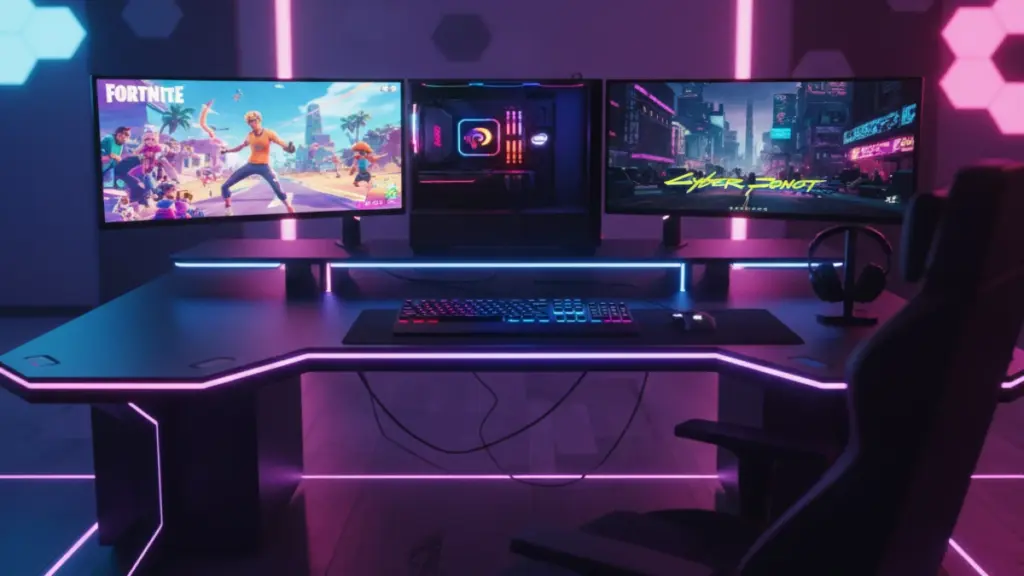
The Ecosystem Trap: When RGB Becomes a Headache
After setting up and testing complete peripheral ecosystems from Razer, Logitech, Corsair, and SteelSeries, I’ve developed strong opinions about unified software platforms.
On paper, having all your peripherals from the same manufacturer sounds convenient. One software suite, synchronized RGB lighting, unified profiles. In reality, it’s often a mess.
Razer Synapse has crashed on me more times than I can count. Logitech G Hub occasionally forgets all my profiles after updates. Corsair iCUE works great when it works but uses an absurd amount of system resources for what it does. Only SteelSeries GG has been consistently stable, but it offers fewer customization options.
My current setup is a deliberate mix: Logitech mouse, Wooting keyboard, SteelSeries headset. I’ve given up on synchronized RGB (honestly, I keep it all off or white anyway) in favor of simply using the best tool for each job. My advice? Don’t limit yourself to one brand’s ecosystem unless you’re willing to compromise on performance for convenience.
The Budget Gaming Setup: Where to Spend and Where to Save
After all this testing and analysis, here’s the setup I recommend for someone building their first serious gaming station on a $500 peripheral budget:
Keyboard ($150): Keychron Q1 Pro or Royal Kludge RK84 Pro. Both offer excellent mechanical switches, hot-swappable sockets for future upgrades, and build quality that rivals keyboards twice their price.
Mouse ($70): Logitech G305 wireless or Pulsar X2 Mini/Medium (depending on hand size). Both deliver flagship-level performance without the premium price tag.
Headset ($120): Skip the gaming headsets entirely. Get the Philips SHP9500 open-back headphones ($75) and an Antlion ModMic ($45). Better audio quality, better mic quality, more comfortable.
Mousepad ($30): Artisan if you can find them at retail prices, otherwise the LGG Saturn or Aqua Control Plus. Your mousepad matters more than you think.
Monitor ($250+): This is where you should not compromise. Get the best 1440p/165Hz+ monitor you can afford. The Dell S2722DGM frequently goes on sale for around $250 and punches way above its weight class.
The remaining budget? Save it. Upgrade your GPU later or add a better keyboard when you understand what switches you prefer.
The Future: What’s Coming in 2025 and Beyond
Based on my conversations with peripheral manufacturers at industry events, here’s what’s on the horizon:
Magnetic switches are taking over keyboards. Hall Effect sensors offer unlimited customization, better durability, and that analog functionality I mentioned earlier. Expect to see them in more affordable keyboards by late 2025.
Sensor technology is reaching theoretical limits. We’re at the point where mice track so accurately that further improvements are imperceptible. Future innovation will focus on weight reduction, battery life, and ergonomics rather than raw sensor performance.
AI-assisted peripherals are coming (whether we want them or not). Several manufacturers are developing mice and keyboards with built-in processors that can detect and compensate for hand tremors, predict movement patterns, and automatically adjust settings based on what game you’re playing. I’m skeptical, but I’ve been surprised before.
Modular peripherals will become mainstream. The enthusiast keyboard community has proven there’s demand for customizable hardware. Expect more products with hot-swappable components, adjustable weights, and user-replaceable parts.
The Bottom Line: Your Peripherals Are Your Interface
After three years of intensive testing, thousands of hours of gameplay across dozens of setups, and conversations with everyone from casual gamers to esports professionals, here’s my core message: your peripherals are not accessories—they’re the most direct interface between your intentions and your in-game actions.
A graphics card renders frames. A CPU processes game logic. But your mouse, keyboard, and monitor? They’re what translate your skill into results. They’re what determine whether that clutch shot connects or whiffs by a pixel. They’re what make the difference between a satisfying gaming session and a frustrating one.
You don’t need to spend $500 on a keyboard or $200 on a mouse. But you do need to be intentional about these choices. Test equipment when possible. Read detailed reviews from people who’ve actually used the gear extensively. Prioritize fit and function over RGB lighting and brand names.
And most importantly: don’t let anyone tell you peripherals don’t matter. They matter more than almost anyone admits.
My decade-old membrane keyboard taught me that lesson the hard way. Your peripherals shouldn’t. Choose wisely, test thoroughly, and don’t be afraid to invest in the tools that make your gaming experience genuinely better.
Because at the end of the day, gaming is about the experience—and great peripherals disappear into that experience instead of getting in the way.
