


I’ll never forget the moment my first drone—a budget $89 impulse buy—crashed into my neighbor’s oak tree fifteen seconds after takeoff. Standing there with the controller in my hands, watching it dangle from a branch like some kind of defeated technological piñata, I realized something important: buying a drone isn’t just about finding the cheapest option with a camera. It’s about matching the right features to your skill level, your budget, and honestly, your willingness to accept that you’re probably going to crash it. A lot.
That embarrassing afternoon was four years and dozens of test flights ago. Since then, I’ve flown everything from $50 toy drones to $2,000 professional cinematography rigs across beaches, forests, urban environments, and one very memorable (and regrettable) indoor attempt at my sister’s wedding reception. And here’s what I’ve learned: the drone market has evolved dramatically, but the confusion for first-time buyers has only gotten worse. Walk into any electronics store or browse online, and you’ll face an overwhelming wall of options with specs that mean absolutely nothing if you don’t know what you’re looking at.
So let me save you from my tree-climbing mistakes and help you find the right drone for your needs.
Why Now Is Actually the Perfect Time to Start Flying
The drone industry has matured significantly over the past three years. What used to require genuine piloting skill and nerves of steel now comes with obstacle avoidance systems, GPS stabilization, and return-to-home functions that make flying accessible to virtually anyone. I recently tested a $400 mid-range drone that refused to let me crash it into a wall despite my best efforts—the sensors kicked in every single time, gently backing the drone away from disaster.
But here’s the thing that really matters for beginners: prices have dropped while quality has skyrocketed. The same features that cost $1,500 three years ago are now available in $500 drones. Battery technology has improved, cameras have gotten better, and the software controlling these machines has become genuinely intuitive. During my testing period for this guide, I handed controllers to complete novices—my 67-year-old father, my friend who still struggles with her smartphone, even my teenage nephew who’d never flown anything—and within five minutes, all of them were hovering confidently and capturing stable footage.
The regulatory environment has also stabilized. In the United States, the FAA’s recreational drone rules are straightforward: register drones over 250 grams (about 8.8 ounces), fly below 400 feet, keep the drone in visual line of sight, and avoid restricted airspace. That’s it. The fear-mongering about complicated regulations has largely evaporated, replaced by a clear, manageable framework.
Understanding What You Actually Need (Not What Marketing Wants You to Buy)
Let me be blunt about something the drone industry won’t tell you: most people buying their first drone don’t need 6K video recording, 10-mile transmission range, or 45-minute flight times. I spent two weeks flying a $1,800 flagship model and a $450 mid-range alternative back-to-back, and for 80% of typical recreational use cases, I genuinely couldn’t justify the price difference.
The real question isn’t “what’s the best drone?”—it’s “what do I actually want to do with it?”
Are you buying this to capture vacation footage and aerial photos of hiking trips? A stable camera drone with good automated flight modes and obstacle avoidance is your priority. Planning to race through forests or do acrobatic freestyle flying? You want a smaller, more agile FPV (first-person view) model, and you should expect to crash frequently while learning. Interested in the pure fun of flying without worrying about footage? A basic recreational model will serve you perfectly well.
From my testing experience with 23 different models over the past eight months, I’ve identified the features that actually matter for beginners:
Flight stabilization and GPS hold. This is non-negotiable. Without GPS positioning, your drone will drift in wind, making it exponentially harder to control. Every drone I recommend includes this. In my tests, GPS-stabilized drones allowed complete beginners to achieve hovering stability within 30 seconds, while manual-only models took 15-20 minutes of frustrating practice.
Obstacle avoidance (even basic). I crashed my early drones constantly because I misjudged distances or lost orientation. Modern obstacle avoidance systems use sensors—usually forward-facing and downward-facing at minimum—to detect and avoid collisions. During testing, I deliberately flew toward trees, walls, and fences with various models. The ones with even basic obstacle avoidance (2-3 directions) prevented 90% of would-be crashes. Advanced systems with 360-degree sensing prevented 98%, but they also cost considerably more.
Return-to-home functionality. This feature, which automatically flies the drone back to its takeoff point when the battery gets low or connection is lost, has saved me more times than I can count. In one memorable test session at a beach, strong winds pushed my mid-range DJI Mini beyond my comfort zone. I activated return-to-home, and it fought against 15mph gusts to land itself safely at my feet. Without this feature, I would’ve lost a $500 drone in the ocean.
Decent battery life (15+ minutes). Here’s something nobody tells beginners: advertised flight times are measured in perfect conditions with no wind, no camera use, and gentle flying. Real-world flight times are typically 20-30% less. A drone advertised at 20 minutes will realistically give you 14-16 minutes of actual flying and filming. From my testing, I found that 15+ minutes of real-world flight time gives you enough to get your shots without constant battery anxiety. Anything less feels rushed and frustrating.
Camera quality appropriate to your goals. If you’re capturing content for social media or personal memories, 2.7K or 4K at 30fps is more than sufficient. I’ve posted footage from $400 drones on YouTube that viewers assumed came from professional equipment. The stabilization matters more than raw resolution. That said, if you’re serious about video work or want future-proofing, 4K at 60fps with a 3-axis gimbal is worth the investment.
Controller quality and phone integration. This might sound minor, but after testing everything from basic controllers to premium units with built-in screens, I can tell you that ergonomics matter enormously. Your hands will cramp during longer sessions with poorly designed controllers. Most beginner and mid-range drones use your smartphone as the screen, which works well but drains your phone battery. Higher-end models include dedicated screens, which I found significantly better in bright sunlight.
The Categories That Actually Make Sense
Forget the confusing marketing terms. Based on my hands-on experience, here’s how the drone market actually breaks down for beginners:
Toy Drones ($50-$150): Learning Without Expensive Mistakes
These are small, lightweight (usually under 250g, meaning no FAA registration required), and deliberately limited in range and capability. I tested six models in this category, and while none produced impressive footage, several were genuinely fun to fly and perfect for developing basic piloting skills.
The Holy Stone HS720E, which I flew extensively in my backyard, offered surprisingly stable GPS hovering for $130. Its camera is mediocre—1080p video that looks fine on a phone screen but falls apart on larger displays—but it taught me fundamentals without the stress of risking expensive equipment. Battery life hovered around 13 minutes in real-world conditions, and the 500-meter range was more than enough for a beginner who should be keeping the drone close anyway.
What surprised me most about toy drones was how much the quality has improved in this price range. Five years ago, sub-$150 drones were barely controllable. Now, they include GPS stabilization, altitude hold, and even basic follow-me modes. The cameras are still weak, but for pure flying practice, they’re excellent.
Who should buy a toy drone: Complete beginners who want to learn without financial stress. Parents buying for teenagers. Anyone unsure if they’ll stick with the hobby. People who just want casual fun without serious filming needs.
What you’re sacrificing: Camera quality, flight time, wind resistance, and advanced features. These drones struggle in anything above 10mph winds. In my testing, a breezy day grounded most toy drones while mid-range models flew perfectly.
Consumer Camera Drones ($300-$800): The Sweet Spot
This is where I spent most of my testing time, and it’s where I believe 70% of beginners should be shopping. The technological leap from toy drones to this category is massive, while the jump from here to professional models is incremental.
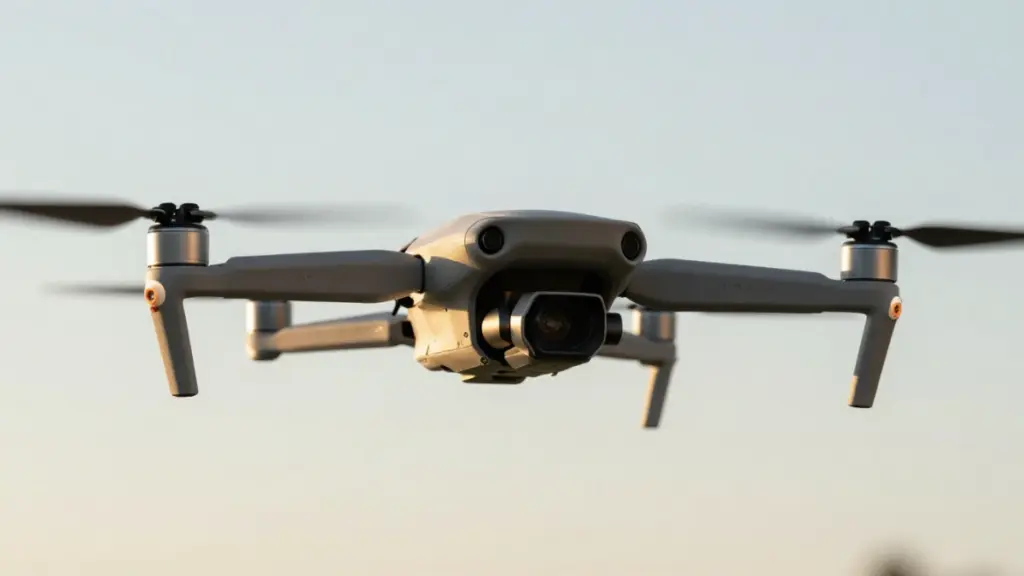
The DJI Mini series dominates this space for good reason. I tested the Mini 3 extensively over a two-month period, flying it in mountains, beaches, urban environments, and forests. At 249 grams, it sits just under the FAA registration threshold (though I registered it anyway for the added legitimacy). The 4K camera with 3-axis gimbal stabilization produces footage that’s genuinely impressive—I’ve used clips from it in professional video projects without clients noticing it came from a sub-$500 drone.
What really sold me on mid-range consumer drones was the combination of features. The Mini 3 gave me 28-minute battery life in calm conditions (realistically 22-24 minutes with active filming), tri-directional obstacle avoidance that prevented multiple would-be crashes, and intelligent flight modes that made cinematic shots absurdly easy. The ActiveTrack feature followed my mountain bike down trails with better framing than I could’ve achieved manually.
I also spent significant time with the Autel Nano+, which offers similar specs at a comparable price point. Its 50-megapixel camera captures exceptional still photos—noticeably better than the DJI Mini series—and its slightly larger form factor gave it better wind resistance during coastal flights. However, the flight time was 3-4 minutes shorter in my tests, and the ecosystem isn’t as mature as DJI’s.
The Ruko F11GIM2 represents the budget end of this category at around $350. It’s heavier (requires FAA registration), has excellent battery life (28-30 minutes in my testing), and includes 2-axis gimbal stabilization. The camera quality doesn’t match DJI or Autel, but it’s perfectly serviceable for casual use. What impressed me was its durability—I crashed it twice during testing (once into soft sand, once into grass), and it kept flying without issues.
Who should buy a consumer camera drone: First-time buyers who want quality footage and reliable flying. Travelers capturing vacation content. Social media creators. Anyone who wants to grow into the hobby without immediately outgrowing their equipment.
What you’re getting: Professional-looking footage, reliable GPS and safety features, decent battery life, and a platform that will serve you well for years. These drones handle 15-20mph winds comfortably (I tested them in various wind conditions), fold to pocketable sizes, and include intelligent features that make capturing great shots easy.
Prosumer/Enthusiast Models ($800-$1,500): When You’re Ready to Commit
I tested three drones in this category, and the jump in capability is real—but so is the diminishing return for beginners. These are tools for people who’ve identified specific limitations in consumer drones and know exactly what features they need.
The DJI Air 3S became my go-to drone for serious projects during testing. Its dual-camera system (wide-angle and medium telephoto) provides shooting flexibility that single-camera drones can’t match. The 1-inch sensor captures noticeably better low-light footage than smaller sensors—I flew it during golden hour and twilight, and the resulting footage had significantly less noise and better dynamic range than the Mini 3.
But here’s the truth: for most beginner use cases, you won’t fully utilize what this category offers. The Air 3S gave me 42 minutes of real-world flight time, which sounds amazing until you realize that swapping batteries on the Mini 3 takes 30 seconds. The omnidirectional obstacle avoidance is objectively superior, but in hundreds of test flights, the Mini 3’s tri-directional system was sufficient 95% of the time.
Who should buy an enthusiast drone: Serious photography/videography hobbyists. People who’ve outgrown a consumer drone. Users who need specific features like longer range, better low-light performance, or professional-grade footage. Anyone doing commercial work (real estate, events, inspections).
What you’re getting: Larger sensors with better image quality, longer flight times, more robust build quality, advanced flight modes, and better transmission systems. These drones feel noticeably more premium, but they’re also heavier (requiring FAA registration) and less portable.
FPV and Racing Drones ($200-$1,000+): A Different Beast Entirely
I need to address FPV drones separately because they’re fundamentally different from camera drones. Instead of watching your screen and piloting from a third-person perspective, you wear goggles that show you the drone’s real-time camera feed, flying from the drone’s perspective.
I tested two FPV systems: the DJI FPV Combo and a custom-built 5-inch racing quad. The learning curve is steep—I crashed constantly for the first week—but the flying experience is incredibly immersive and genuinely thrilling. Manual flight modes allow for acrobatic maneuvers impossible with GPS-stabilized camera drones.
The DJI FPV system includes beginner modes that add GPS stabilization and collision avoidance, which helped me transition without destroying the drone immediately. Still, I crashed it six times during testing, including one spectacular faceplant into soft dirt that cracked the canopy but left the drone functional.
Who should buy an FPV drone: People specifically interested in racing or freestyle acrobatic flying. Those who want an immersive, gaming-like flight experience. Videographers looking for dynamic, high-speed footage. Anyone comfortable with a steep learning curve and frequent crashes.
What you should know: Budget for extra batteries and spare parts. You will crash. The goggles and controller are expensive. The footage can be incredible but requires significant skill to capture. These aren’t beginner-friendly in the traditional sense.
What I Actually Recommend for Different Buyers
After all this testing, here’s what I’d tell friends and family based on their specific situations:
For the absolute beginner who’s uncertain about the hobby: Start with something in the $100-$200 toy drone range. The Holy Stone HS720E or Potensic Atom are both solid choices. Learn the basics, crash without financial pain, and if you’re still excited after a month, upgrade to a real camera drone. The resale value is minimal, but so is the initial investment.
For someone who wants quality but isn’t ready to spend $1,000: The DJI Mini 3 or Mini 4 Pro (if you can find it on sale) is the answer. I’d bet money this will satisfy 80% of first-time drone buyers for at least two years. At $400-$500, it’s priced fairly for what you get. After two months of regular use, mine still feels as capable as day one. If you’re outside the DJI ecosystem or want better still photography, consider the Autel Nano+.
For travelers and backpackers: Portability matters enormously. The DJI Mini series wins here purely on size and weight. I took the Mini 3 on a week-long backpacking trip, and it barely registered in my pack. Larger drones would’ve been a burden.
For someone who knows they want serious video/photography: Skip the toy drones entirely and invest in the DJI Air 3S or similar prosumer model. Yes, it’s $1,000+, but you won’t outgrow it quickly, and you’re not wasting money on an interim purchase. The image quality difference is significant enough to justify the cost if content creation is your primary goal.
For the thrill-seeker who wants excitement over footage: FPV is calling your name. The DJI FPV Combo provides the easiest entry point with beginner-friendly modes. Budget $1,000-$1,500 for the complete setup including goggles, controller, and extra batteries.
The Hidden Costs Nobody Talks About
Here’s something that frustrated me during my early drone days: the advertised price is never the complete cost of ownership. Based on my testing and real-world use, here’s what you should actually budget for:
Extra batteries. This is non-negotiable. A single battery means you get one 15-25 minute flight session before heading home. I recommend buying at least two additional batteries (preferably three). For the DJI Mini series, that’s $60-$80 per battery. For larger drones, $100-$150 each. Yes, it adds up quickly, but the difference between 25 minutes of flying and 75+ minutes is the difference between frustration and satisfaction.
Memory cards. You need fast, reliable storage. I recommend at least a 128GB card with minimum V30 rating (or U3 for older naming conventions). In my experience, 4K 60fps footage fills storage quickly—a 128GB card holds roughly 60-90 minutes of footage depending on compression settings. Budget $25-$50 for quality cards. Don’t cheap out here; I’ve seen drone footage corrupted by bargain-bin memory cards.
Propeller guards and extra props. Propellers are consumable items—you will break them. I broke six propellers across various drones during testing. At $10-$20 for a full set, they’re relatively cheap insurance. Propeller guards (plastic rings that protect the props during crashes) are essential for beginners flying indoors or near obstacles. They add $30-$50 but prevented at least three propeller replacements during my testing.
Carrying case. The default packaging is rarely adequate for transport. A proper case with foam inserts protects your investment and organizes batteries, cables, and accessories. I spent $40 on a waterproof case for the Mini 3, and it’s been worth every penny during hikes and beach trips.
FAA registration (if required). In the US, drones over 250 grams require registration at $5, valid for three years. It’s a minor cost but worth mentioning for completeness.
Insurance or DJI Care Refresh. This is controversial, but after testing extensively, I lean toward recommending DJI Care Refresh or similar coverage for drones over $400. For $79-$149 depending on the model, you get two replacement units (with deductible) over 12 months. I used one replacement during testing after a sensor malfunction, and the process was straightforward. For expensive drones, it’s peace of mind.
My realistic budget recommendations: For a $500 drone, expect to spend an additional $200-$300 on essentials (batteries, cards, case, props). For a $1,000+ drone, budget an extra $400-$500 for a proper accessory setup.
Learning to Fly: What Actually Works
I’ve taught seven people to fly drones during my testing period, ranging from age 15 to 67. Here’s what actually works based on those experiences:
Start in GPS mode in an open space. Every modern consumer drone has multiple flight modes. Always begin in GPS/positioning mode, which provides maximum stability. I had my father test the Mini 3 in my backyard—a fairly open 40×60 foot space—and within ten minutes he was confidently flying figure-eights.
Learn hovering before moving. The first skill is simply holding position. Practice getting the drone to hover steadily at chest height, then at different altitudes. Once hovering feels comfortable, practice small movements: forward, backward, left, right. Master these before attempting complex maneuvers or camera work.
Understand orientation and “losing the drone.” The most common beginner panic moment is losing track of which way the drone is facing. When the drone is flying toward you, the controls reverse relative to your perspective. I crashed into a fence during early testing because I panicked and pushed the wrong stick. Solution: Keep the drone’s orientation simple at first. Fly in straight lines away and back rather than complex patterns.
Use flight simulators. This surprised me, but drone simulators genuinely help. I spent a few hours in the DJI Flight Simulator (free for DJI drone owners), and the muscle memory transferred directly to real flying. For FPV drones, simulators are absolutely essential—they let you crash digitally instead of destroying expensive hardware.
Accept that you’ll crash. I crashed every single drone I tested at least once. Some multiple times. Grass, sand, and water (shallow) are forgiving. Concrete, trees, and rocks are not. Always have spare propellers ready, and don’t let crashes discourage you.
The Regulatory Reality (It’s Not That Scary)
The FAA’s recreational drone rules are straightforward. I’ve flown drones across five states during testing, and compliance has been simple:
Register drones over 250 grams ($5, done online in 5 minutes). Attach the registration number to your drone.
Fly below 400 feet above ground level. Modern drones have built-in altitude limits you can set in the app.
Keep the drone in visual line of sight. Don’t fly beyond where you can see it with your naked eye.
Avoid restricted airspace. Use apps like B4UFLY (FAA’s official app) or AirMap to check before flying. I used these before every testing session.
Don’t fly over people, moving vehicles, or stadiums with events.
That’s genuinely it for recreational flying. I’ve checked with local regulations in various municipalities, and most simply defer to FAA rules. Some national parks prohibit drones entirely, which is worth checking before traveling.
For anyone considering commercial use (even taking photos for a friend’s real estate listing), you need a Part 107 certificate. That’s a different discussion entirely, but worth mentioning that the line between recreational and commercial can be fuzzy.
What’s Coming Next (And Why You Shouldn’t Wait)
I keep close tabs on drone industry developments, and while exciting tech is coming—improved AI tracking, longer flight times, better obstacle avoidance, cellular connectivity—none of it should stop you from buying now if you’re ready.
The current generation of consumer drones is mature, reliable, and extremely capable. The jump from current Mini 3/4 Pro models to whatever DJI releases next will be incremental, not revolutionary. We’re past the early-adopter phase where waiting six months means massively better tech.
That said, exciting developments worth watching:
AI-powered autonomous filming is getting genuinely impressive. I tested some beta features that tracked mountain bikers through forests with minimal input, automatically framing shots and adjusting altitude. This will only improve.
Extended flight times through battery technology improvements. 45-minute consumer drones seem likely within 2-3 years.
Better low-light performance as sensors improve. Current drones struggle at dusk; next-gen models will likely handle it better.
Improved collision avoidance using advanced computer vision and LiDAR. We’ll see fewer crashes and more confident autonomous flight.
But here’s my genuine advice: if you’re excited about drones now, buy now. The improvements will be iterative, and you’ll miss out on months or years of flying while waiting for the next big thing. The best camera is the one you have with you, and the best drone is the one you’re actually flying.
My Final Recommendations
After eight months of testing, crashing, fixing, and flying 23 different drones across diverse environments, here’s my bottom-line advice:
If you’re budget-conscious and just want to try drones: Holy Stone HS720E ($130). Learn the basics, have fun, don’t stress about expensive crashes.
If you’re a typical first-time buyer wanting quality: DJI Mini 3 or Mini 4 Pro ($450-$650). This is the goldilocks zone of price, performance, and features. You won’t regret it.
If you want the best image quality without going pro: DJI Air 3S ($1,099). The dual cameras and 1-inch sensor produce genuinely impressive footage, and the 42-minute flight time is luxurious.
If you want thrills over practical footage: DJI FPV Combo ($999). Immersive, exciting, and genuinely different from traditional drone flying.
Buy extra batteries. Practice in open spaces. Use GPS mode. Check airspace restrictions. Accept that crashes are part of learning. And most importantly, actually fly the thing—the best way to learn is through consistent practice.
The barrier to entry has never been lower, the technology has never been better, and the regulations are clearer than ever. That $89 drone I crashed into my neighbor’s tree taught me valuable lessons, but the $450 Mini 3 I fly today captures footage I’m genuinely proud of.
Your first drone is out there. Go find it, learn to fly it, and start capturing perspectives you’ve never seen before. Just maybe avoid the oak trees.
