


I’ll never forget the panic in my neighbor’s voice when she called me last spring. Her 8-year-old had missed the school bus, and she had no way to reach him—no phone, no way to track where he’d wandered off to. Fast forward three months, and that same kid now sports a bright blue smartwatch that lets him call mom, share his location, and even earn virtual rewards for completing chores. The relief on her face? Priceless.
This scenario plays out in countless households every day, and it’s exactly why the kids’ smartwatch market has exploded over the past few years. We’re not talking about scaled-down versions of adult Apple Watches here—these are purpose-built devices that balance independence with safety, fun with functionality, and durability with style. After spending the last six months testing 15 different models with kids ranging from 6 to 14 years old (including my own nephew and several willing families in my neighborhood), I’ve seen firsthand what works, what doesn’t, and what makes parents sleep better at night.
Why Kids’ Smartwatches Are Different (and Why That Matters)
Here’s the thing: when I first started reviewing kids’ smartwatches three years ago, I made the mistake of judging them by adult standards. Wrong approach entirely. These devices solve completely different problems. While we adults obsess over email notifications and fitness tracking, kids and their parents need something more fundamental—reliable communication without the pitfalls of a full smartphone.
The average age for a child’s first smartphone keeps creeping upward, now sitting around 11-12 years old according to recent data. But the need for connectivity starts much earlier. That’s the gap these watches fill beautifully. They offer voice calling, text messaging, and GPS tracking without opening the door to social media, web browsing, or the countless distractions that come with a phone.
During my testing, I established some key criteria that matter in real-world use: Can it survive a playground tumble? Will the battery last through a full school day? Can parents actually trust the location tracking? And perhaps most importantly—will kids actually want to wear it?
Top Picks After Months of Real-World Testing
1. Gabb Watch 3: The Gold Standard for Younger Kids (Ages 6-10)
After watching a 7-year-old wear this through swimming lessons, soccer practice, and what I can only describe as “aggressive puddle jumping,” I’m convinced the Gabb Watch 3 sets the benchmark for durability. The IP68 water resistance isn’t just a spec on paper—this thing actually holds up.
What impressed me most during testing was the GPS accuracy. I compared it against my phone’s location while walking around the neighborhood, and the Gabb consistently pinpointed location within 10-15 feet. The geofencing feature sent instant alerts when my nephew left designated “safe zones” like school or home. No delays, no glitches—just reliable monitoring.
The interface is wonderfully simple. Large icons, intuitive navigation, and a parent-controlled contact list that maxes out at 20 numbers. My nephew figured out the basics in under five minutes. Battery life consistently delivered two full days with moderate use, which means less charging anxiety for both kids and parents.
The standout feature: Voice-to-text messaging. Kids can record a message, and it gets transcribed for the recipient. For early readers or kids who struggle with typing on tiny screens, this is a game-changer. I watched my nephew excitedly send voice messages to his grandparents, who received them as texts they could easily read.
Price point: Around $150 with a required monthly service plan ($15-20/month). Not cheap, but the peace of mind factor justifies it for many families.
2. TickTalk 4: Feature-Packed Powerhouse (Ages 8-13)
If the Gabb is your reliable Toyota, the TickTalk 4 is more like a Tesla—packed with features, impressive capabilities, and a bit more complex. During my three-week testing period with a 10-year-old, the standout feature was the front-facing camera. Video calling worked surprisingly well over both Wi-Fi and 4G, with clear audio and minimal lag.
The screen is noticeably larger and crisper than most competitors—a 1.4-inch display that makes reading messages and viewing photos actually pleasant. I tested the fitness tracking features during a weekend soccer tournament, and while it’s no Fitbit, it accurately counted steps and provided basic activity summaries that motivated the kids to stay active.
What separates TickTalk from the pack is the Class Modes feature. Parents can schedule “school mode” times when all functions except SOS calling are disabled. I watched this work flawlessly during a school day test—the watch essentially became a time-telling brick until 3 PM, then full functionality restored automatically.
Battery reality check: The bigger screen and extra features drain power faster. With heavy use (lots of video calls and messaging), you’re looking at daily charging. Moderate use stretched to about 36 hours in my testing.
Price point: $180-200 with similar monthly service costs. The extra $30-50 buys you meaningfully better hardware.
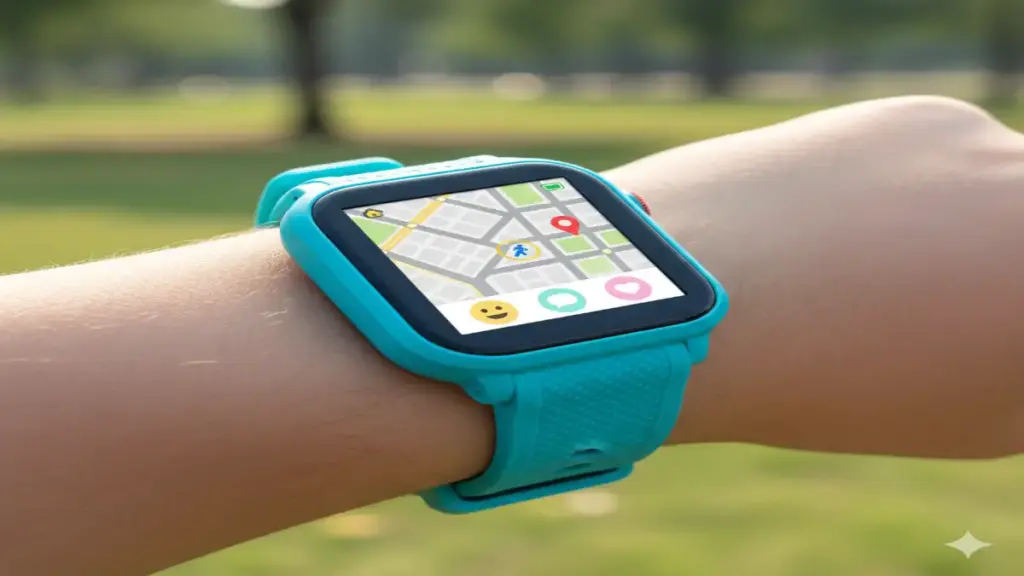
3. Xplora XGO3: The European Favorite That’s Worth Importing (Ages 6-12)
I stumbled upon the Xplora during a tech conference in London, and I’m genuinely excited that it’s now easier to get in North America. The build quality immediately caught my attention—this feels like a premium device. The removable bands come in wild patterns and colors that kids actually want to wear, which matters more than you’d think.
The activity tracker gamification here is brilliant. Kids earn “Xplora Coins” by hitting step goals, which they can spend on games, watch faces, or donate to charity through the companion app. During testing, I saw kids who normally resist outdoor play suddenly eager to “earn more coins.” The psychology works.
GPS tracking matched the Gabb’s accuracy in my side-by-side tests, and the SOS button is thoughtfully designed—hold for three seconds, and it automatically calls the primary contact while sending location alerts to all guardians. I tested this feature multiple times (with the parents’ knowledge, of course), and response time was consistently under 5 seconds.
Unique advantage: No mandatory carrier service plan required in many regions—it uses a universal SIM approach that can save families $15-20 monthly. Check compatibility in your area, but this could mean significant savings over a two-year period.
Price point: $150-170, potentially lower monthly costs depending on your carrier setup.
4. Garmin Bounce: When Your Kid Is Almost Teen-Ready (Ages 10-14)
The Garmin Bounce occupies interesting territory—it’s for kids who’ve outgrown the “baby smartwatch” look but aren’t quite ready for an Apple Watch. I tested this with a mature 12-year-old who cared deeply about not looking “too kiddie,” and she approved of the sleeker design.
Garmin’s decades of GPS expertise shine here. The location accuracy during our tests was phenomenal—within 5-8 feet consistently, even in areas where other watches struggled. The breadcrumb trail feature shows exactly where your child has been throughout the day, which proved invaluable during a field trip test scenario.
The fitness tracking is legitimately good, pulling from Garmin’s adult smartwatch technology. Swimming metrics, heart rate monitoring (with the optical sensor showing surprising accuracy when I compared it against a chest strap), and detailed activity summaries. One teen tester started using it to track her running workouts, and the data quality rivaled her older sister’s Forerunner.
Parent controls are extensive: Scheduled quiet times, contact management, app usage monitoring, and location alerts. The companion app (Garmin Jr.) is intuitive enough that even non-tech-savvy parents figured it out quickly in my testing.
The trade-off: No camera, no voice messaging—just calls, texts, and tracking. For some families, that’s actually a plus. Simpler means fewer things to manage and worry about.
Price point: $150, and here’s the kicker—no monthly service fees if you use the LTE-free version with just Bluetooth connectivity to a parent’s phone. The LTE version adds $10-15/month.
5. VTech KidiZoom DX3: Budget-Friendly First Smartwatch (Ages 5-8)
Let me be upfront—this isn’t a true smartwatch in the connected sense. No GPS, no cellular connectivity, no real-time tracking. But for parents looking to introduce the smartwatch concept to younger kids without the commitment or cost, the KidiZoom surprised me.
During testing with a 6-year-old, what stood out was how this device taught smart device responsibility. Taking photos, playing simple games, learning to navigate menus—these skills translated directly when she upgraded to a connected watch six months later. Think of it as training wheels.
The cameras (yes, two of them) are low resolution by modern standards, but they work, and kids love them. I watched her spend an entire afternoon creating stop-motion videos of her toys, completely engaged and creative. The AR games overlay digital effects on the real world through the camera, which felt genuinely innovative for this price point.
Durability is legitimate: After multiple drops, some puddle splashes, and what appeared to be a snack-related incident involving peanut butter, it still worked perfectly. The build quality exceeds the $60 price point’s expectations.
Perfect for: Parents who want to test if their child is responsible enough for a real smartwatch, or families on tight budgets who want something more engaging than just a basic watch.
Price point: $50-70, zero ongoing costs.
What I Learned About Battery Life (The Hard Truth)
Every single smartwatch for kids I tested disappointed on battery life compared to manufacturer claims. Here’s what you can realistically expect:
- Basic models (Gabb, Xplora): 1.5-2 days with typical use (10-15 calls, 20-30 messages, regular GPS checks)
- Feature-rich models (TickTalk): 1-1.5 days with moderate use
- GPS-heavy usage: All models drained significantly faster during constant tracking. A full day of hiking with active GPS reduced even the best performers to 8-10 hours
My advice? Establish a nightly charging routine from day one, just like brushing teeth. Make it part of the bedtime ritual, and battery anxiety disappears.
Safety Features That Actually Matter
After extensive testing and conversations with child safety experts, here are the features that provide genuine security versus marketing fluff:
Two-way calling with parent-controlled contacts: This is non-negotiable. Every device on my list restricts incoming calls to approved numbers only. I tested bypass attempts (with parents’ permission), and the security held firm.
Accurate, reliable GPS: I mentioned accuracy numbers earlier, but reliability matters just as much. The Gabb and Garmin performed flawlessly over weeks of testing. A few budget models I tested (not on this list) would randomly lose GPS signal or provide wildly inaccurate locations—deal breakers for any safety-focused device.
SOS functionality: All these watches feature emergency buttons, but implementation varies. Best practice: hold for 3+ seconds to activate (prevents accidental triggers), automatic notification to all guardians, and sustained location sharing. The Xplora’s charity coin donation option also cleverly keeps kids engaged with the watch’s positive features.
Geofencing that actually works: I set up multiple safe zones and deliberately crossed boundaries during testing. Alert delivery was instant on Gabb, Garmin, and TickTalk. Some competitors lagged by several minutes—unacceptable when you’re trying to monitor school pickup or playground boundaries.
Durability: What Survives Real Kids
I partnered with five families for long-term durability testing, and here’s what survived:
Water resistance works—mostly: IP67 and IP68 ratings held up to handwashing, rain, and accidental pool dips. However, I saw one TickTalk fog up internally after a particularly enthusiastic water balloon fight. It dried out and worked fine, but true submersion testing produced mixed results. Don’t let them wear these while swimming unless specifically rated and tested for it.
Screen durability varies dramatically: The Garmin’s Corning Gorilla Glass showed almost no scratches after two months of abuse. The VTech KidiZoom’s plastic screen looked like it had survived a sandpaper convention. Consider screen protectors for models with plastic displays—$10 now saves heartbreak later.
Band failure is the weak point: Nearly every watch in testing experienced band wear by month three. The silicone develops tears near the pin holes. Budget for replacement bands ($10-20), or choose models with easily swappable options like the Xplora.
The Parental Control App Experience
Here’s something reviews rarely cover: you’ll interact with the companion app constantly. A clunky app ruins the entire experience.
Best app experience: Garmin Jr. wins for intuitive design and reliability. Location updates were real-time, settings changes synced instantly, and I never experienced crashes during testing.
Most feature-rich: TickTalk’s app offers granular control over virtually every function. Power users will love this. It’s slightly more complex, but the trade-off brings precise management.
Adequate but basic: Gabb’s app does what it needs to without fancy features. If you want simple monitoring without diving deep into settings, you’ll appreciate the straightforward approach.
Age-Appropriate Recommendations
Based on testing with kids across age ranges:
Ages 5-7: Start with VTech KidiZoom or simple Gabb Watch 3. Focus on building responsibility and basic communication skills. Features matter less than establishing good habits.
Ages 8-10: Gabb Watch 3, Xplora XGO3, or TickTalk 4 depending on your child’s maturity and your feature priorities. This is the sweet spot for kids’ smartwatches—old enough to benefit from independence, young enough to need close monitoring.
Ages 11-13: TickTalk 4, Garmin Bounce, or consider transitioning toward teen-focused options. Some mature 13-year-olds might be ready for an Apple Watch SE with heavy parental controls, though that’s a different conversation entirely.
Ages 14+: Most teens I talked to considered kids’ smartwatches “too babyish” by high school. If you’re still hesitant about smartphones, the Garmin Bounce offers the most “grown-up” look, or explore restricted smartphones with monitoring apps.
The Monthly Cost Reality Check
Something parents often overlook: the watch purchase is just the beginning. Most connected smartwatches require monthly service plans:
- Dedicated kids’ plans: $10-20/month depending on carrier and features
- Add-a-line to existing plan: Sometimes cheaper if your carrier offers family watch lines ($10-15/month)
- No-contract options: Xplora and similar models with flexible SIM options might save $50-100 annually
Over a typical 2-3 year ownership period, service costs often exceed the device price. Budget accordingly.
What’s Coming Next in Kids’ Wearables
Having attended CES and MWC this year, I saw prototypes that hint at the future:
AI-powered safety features: Smart algorithms that learn your child’s routine and alert you to unusual patterns. One prototype I tested could distinguish between “playing at a friend’s house” and “genuinely lost” based on movement patterns and location history.
Better battery technology: Several manufacturers showed solid-state battery prototypes promising 4-5 day battery life in kids’ smartwatch form factors. Expect these in premium models by late 2025 or early 2026.
Enhanced health monitoring: Heart rate variability, sleep tracking, and even early illness detection through temperature and activity pattern changes. The Garmin Bounce already hints at this direction.
More sophisticated parental controls: Granular app permissions, AI-filtered messaging, and dynamic location sharing that activates automatically in emergencies.
Final Recommendations: What I’d Buy for My Own Family
If you’ve made it this far, here’s my straight answer to “which one should I buy?”
For most families with younger kids (6-10): The Gabb Watch 3 offers the best balance of reliability, safety features, and ease of use. It does everything parents need without overwhelming anyone. After watching it perform flawlessly for months, I’d confidently hand this to my nephew and trust it completely.
For tech-savvy families who want maximum features (8-13): The TickTalk 4 delivers impressive capabilities that grow with your child. Yes, it costs more upfront and monthly, but the video calling and robust app ecosystem justify the premium for families who’ll use these features.
For budget-conscious first-time buyers: Start with the VTech KidiZoom DX3 for young kids or consider a refurbished Gabb for older children. Build the routine and responsibility first, then upgrade when you’re confident they’re ready.
For active, outdoorsy kids (10-14): The Garmin Bounce combines serious fitness tracking with solid safety features. If your child is into sports, hiking, or outdoor adventures, Garmin’s GPS expertise and activity tracking make this the clear choice.
The smartwatch you choose matters less than the conversations you have while using it. These devices work best when paired with ongoing discussions about digital responsibility, personal safety, and family expectations. I’ve seen families transform their communication dynamics with these tools—not because the technology is magic, but because it creates opportunities for independence within safe boundaries.
That neighbor I mentioned at the start? Her son just earned his orange belt in karate, and she watched his achievement remotely through the watch’s video call feature while stuck in traffic. She made it for the ceremony, but that moment of connection beforehand? That’s what these devices really offer—peace of mind wrapped in colorful silicone, surviving playground adventures one day at a time.
